In this article 10 sections
- Why missing details cost days
- The intake checklist every quote needs
- Which gaps block a quote and which can wait
- Where AI helps in enquiry intake and where a person decides
- A reliable extraction instruction
- Phone enquiries
- Worked example: the hoodie email
- Check customer data before you paste it in
- Setting it up this week
- Where TaggIQ fits
It’s 4pm and an email comes in. Someone wants hoodies for their team, navy or black, with a blurry logo pasted into the message, needed for the end of the month, “can you send a price?” You can’t, not yet. You need a style, a decoration method, a position, sizes and a logo you can actually use. Chase those one email at a time and the quote goes out next week.
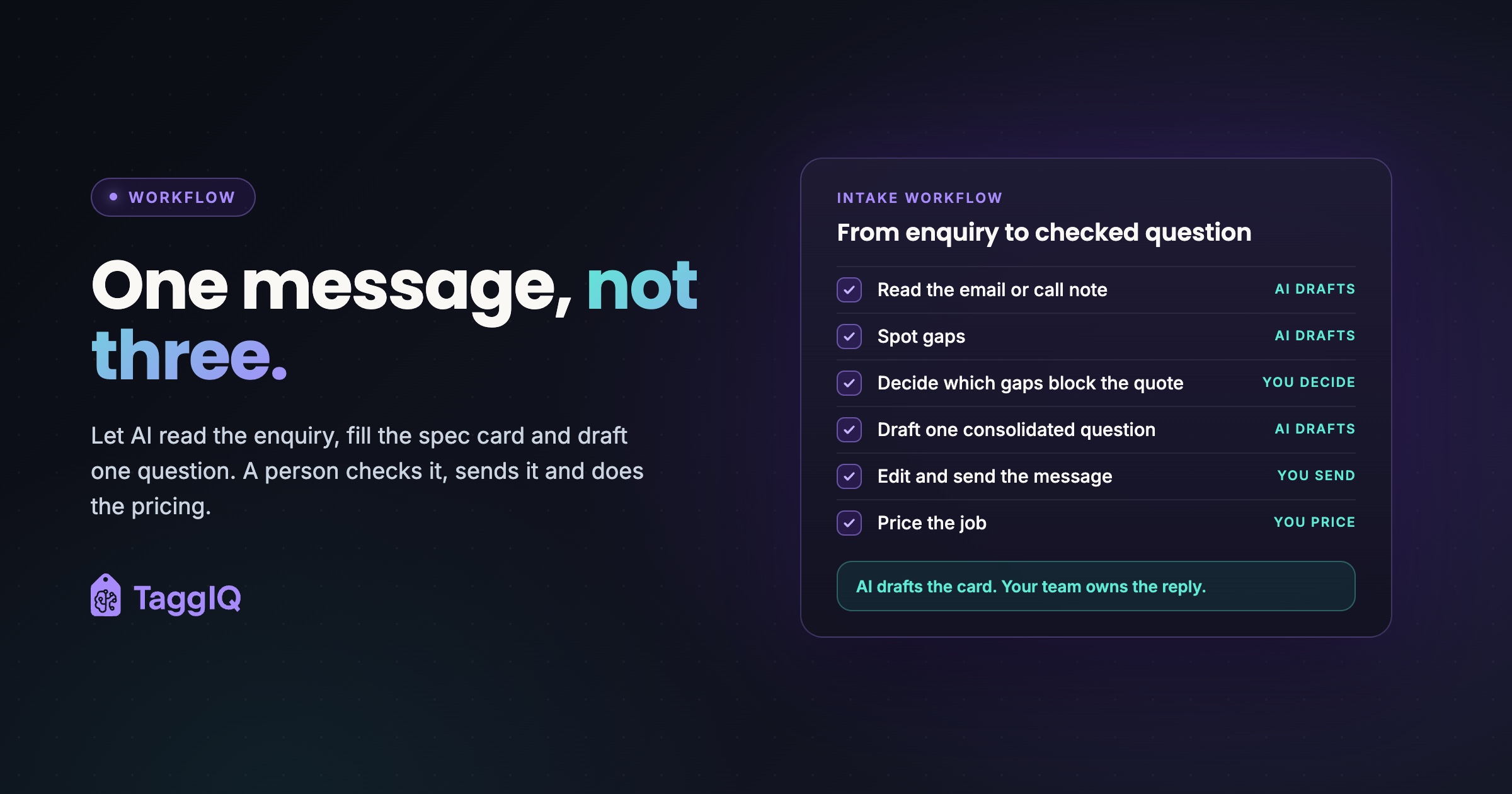
The short answer: AI is useful at the very start of intake. It can read the message, sort what it says into a standard spec card, flag the gaps and draft one consolidated question. A person then checks that question, sends it, and does the pricing once the answers are in.
Why missing details cost days
The time goes before the quote, in the back-and-forth: spot one gap, ask, wait, spot the next, ask again.
Speed matters here. A 2011 Harvard Business Review article, “The Short Life of Online Sales Leads”, opens by saying the authors’ research showed most companies were not responding nearly fast enough to online enquiries. In practice, what counts in local quoting is reaching a complete, credible reply quickly, not just answering quickly.
Worked example
These figures are illustrative. Say each customer reply takes about a day. If you ask about sizes on Monday, decoration on Tuesday and artwork on Wednesday, the full spec arrives on Thursday at the earliest. Ask all three in one message on Monday and you could have everything on Tuesday. That’s roughly three days of waiting cut to one, before anyone has priced anything.
The other cost is the requote. Quote on a guessed garment and “standard” print size, then learn the customer wanted embroidery on a heavier hoodie, and you do the work twice.
The intake checklist every quote needs
Whether an enquiry comes by email, web form, phone, social message or over the counter, turn it into the same set of fields, built around what decoration actually needs.
| Detail | Why it matters | How to ask |
|---|---|---|
| Product or garment type | Blank cost and decoration options depend on it | “Which style do you have in mind, or shall we suggest two options?” |
| Quantity, with size and colour split | Price breaks, larger-size costs and stock checks | “How many in each size and colour?” |
| Decoration method | Embroidery, screen print, DTF (direct-to-film transfer), vinyl, sublimation and engraving all price differently | “Embroidered or printed? We can advise if you’re unsure.” |
| Position and size | Left chest and full back are different jobs | “Where should the logo go, and roughly how big?” |
| Personalisation (names or numbers) | Changes price, artwork and lead time | “Do any items need individual names or numbers?” |
| Colour count or logo complexity | Screens for screen print, stitch count for embroidery | Usually answered by the artwork, but confirm brand colours |
| Artwork file | A vector file or print-ready art avoids a redraw. For embroidery, ask whether a stitch file exists; if not, price digitising (turning a logo into a stitch file) | “Do you have the logo as a vector file, such as AI, EPS, SVG or PDF?” |
| Deadline or event date | It has to fit production and delivery time | “What date do you need them in hand?” |
| Delivery or collection | Shipping cost and lead time | “Shall we deliver, or will you collect?” |
| Contact and billing details | Who approves, who pays | “Who should approve the proof and receive the invoice?” |
These line up closely with the fields in the free print and promo quote template: customer details, products, decoration method, artwork status, production time and shipping. If your intake card and your quote use the same fields, nothing gets retyped between them. For repeat customers, check your records for an existing logo or stitch file before asking.
Two rows deserve extra care. On team orders the size split usually has to be gathered from several people, and the size collection guide covers how to do that without a messy spreadsheet. And treat the deadline as a question to check, not a spec to accept. “We need it for the 14th” only goes on the card once you know your production queue and delivery can meet it.
Which gaps block a quote and which can wait
You don’t need every field before you send a first price. Asking for everything up front adds work for the customer before they have seen a price, so keep the first ask to what you genuinely need.
Use this decision rule. If the answer could change the price meaningfully, or decide whether you can hit the date, it blocks the quote. If it only changes what goes on the job ticket, it can wait until approval.
Under that rule, these usually block a quote:
- Garment or product type, at least to a style level
- Approximate total quantity
- Decoration method and position
- Logo complexity or colour count
- Whether any items need individual names or numbers
- The in-hand date
These can usually wait:
- The exact size split, as long as your quote says larger sizes may cost more
- The final choice between garment colours that cost the same
- The final vector file, once you’ve seen enough to price the artwork work
Waiting for pricing doesn’t mean waiting until proof stage. Finding out then that the only logo is a screenshot is how deadlines slip, so ask early even if you don’t need the answer to price.
Where AI helps in enquiry intake and where a person decides
Intake is mostly pulling structured fields out of free text, a task you can hand to an AI language model and then check. The split of work looks like this:
| Task | AI drafts | Person decides |
|---|---|---|
| Read the email or call note | Fills the spec card from what was said | Checks it against the original |
| Spot gaps | Marks blank or unclear fields | Decides which gaps block the quote |
| Follow-up | Drafts one consolidated question set | Edits and sends it |
| Pricing | Nothing | Prices the job |
| Stock and blanks | Nothing | Checks availability |
| Artwork | Notes whether a file was supplied | Judges whether it’s usable or needs digitising |
AI can misread “30 navy, 10 black” as forty of one colour, or take “logo on the front” to mean full front when the customer meant left chest. A person checking the card against the original catches that in seconds. A customer catching it on delivery costs a reprint.
A reliable extraction instruction
If you use a general AI assistant, consistency comes from giving it the same instruction every time. Copy this, adjust the field names to match your intake card, save it where the whole team can reuse it, and paste each enquiry underneath.
Extraction instruction to copy
Read the customer enquiry below and fill in these fields: product or garment style, total quantity, quantity per size, quantity per colour, decoration method, position and size, colour count or logo complexity, personalisation (names or numbers), artwork supplied and its file type, in-hand date, delivery or collection, and approver role, if given. Record only what the customer actually said. Write “missing” if a field is not mentioned, and “unclear” if it could be read more than one way, with a short note saying why. Never guess or fill in a standard value. Record quantities per colour and per size separately, so “30 navy, 10 black” stays as 30 navy and 10 black. Do not suggest prices, stock availability or whether the artwork is usable. Then draft one short, friendly message asking only for the missing or unclear items that block a quote: style, approximate quantity, decoration method and position, logo colours or complexity, personalisation, and the in-hand date. End with one line asking for the size split and a vector logo file if not supplied. Keep it under 120 words and do not promise a price or delivery date.
Contact and billing details are left out on purpose: remove them from the enquiry before pasting, and add them to the card by hand after extraction.
Phone enquiries
The best fix for phone enquiries happens during the call. Keep the intake card open on screen and work through the blocking fields while the customer is still on the line: style, rough quantity, decoration method and position, logo complexity, any names or numbers, and the in-hand date. Finish by asking them to email the logo and size split.
AI is the backup for calls taken in a rush. Type a shorthand note straight afterwards and put it through the same instruction. The card comes out in the same shape as an emailed enquiry, and the gaps show up before anyone prices.
Worked example: the hoodie email
Worked example
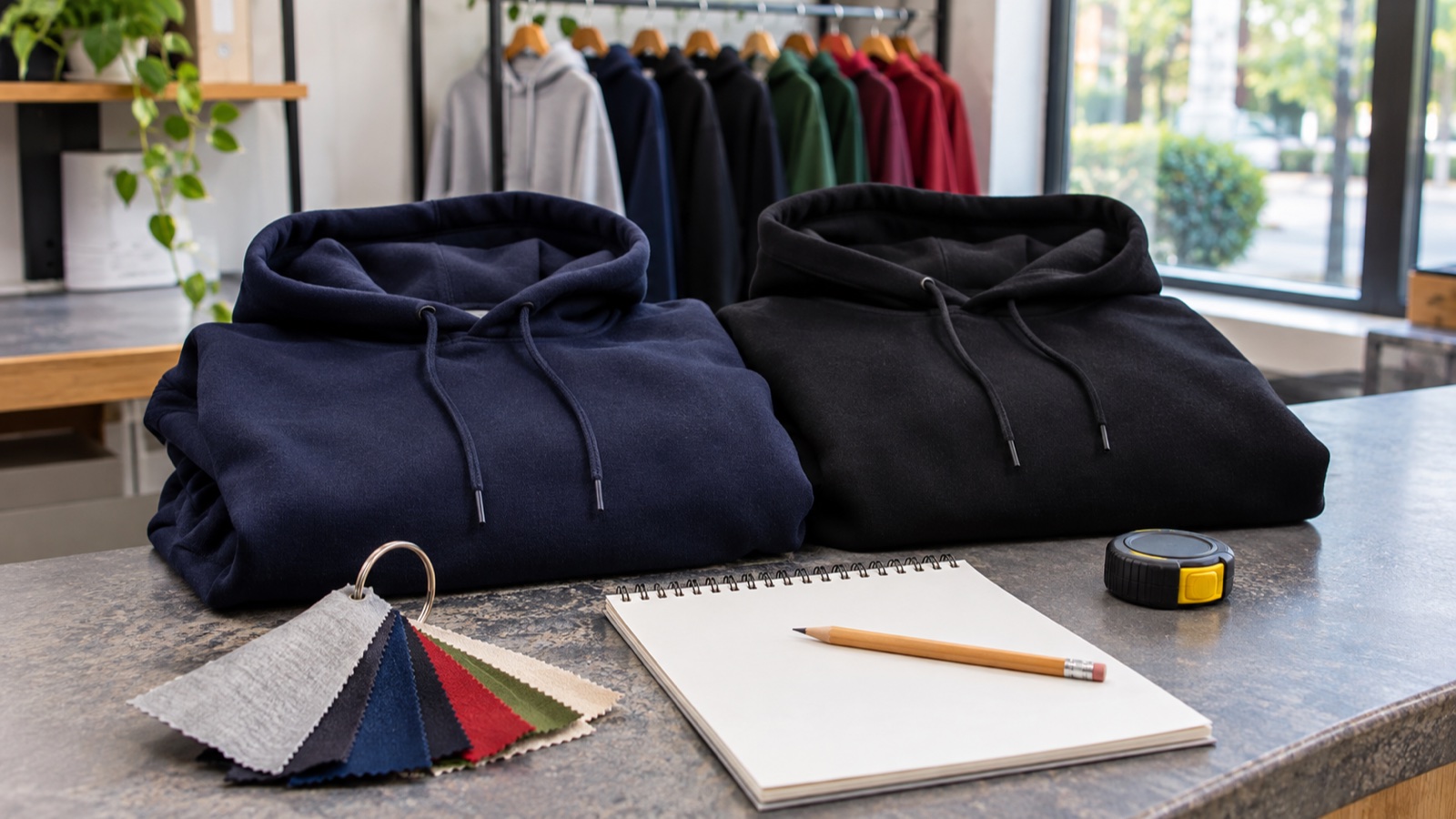
The enquiry: “Hi, need some hoodies with our logo for the team, about 30ish, navy or black, need them for end of month, can you send a price?” A low-resolution logo is pasted into the email body.
The spec card AI might draft: Product: hoodie, style unconfirmed. Quantity: about 30. Colour: navy or black, undecided. Decoration: logo, method and position unconfirmed. Deadline: end of month, to be checked against production. Artwork: embedded image, quality unknown.
The two gaps that block the quote: the decoration method and position, since left-chest embroidery and a full-back print are priced very differently, and the garment style or weight, since a standard and a heavier premium hoodie have different blank costs. About 30 is close enough for a first price, and navy or black can stay open if both cost the same. Colour count isn’t a gap: the pasted image shows a two-colour logo, even if it won’t do as a production file. Personalisation isn’t mentioned, so the reply checks it in the same message.
Ask now, but these don’t block the price: the size split, which the quote can cover with a note that larger sizes may cost more, and artwork quality, which needs checking before proof stage.
The consolidated reply a person checks and sends: “Thanks for getting in touch. To give you an accurate price, could you let us know whether you’d like a standard or heavier premium hoodie (we can quote both), whether the logo should be embroidered or printed, where it should go (for example left chest or full back), and whether any need individual names or numbers? Roughly how many in each size, and the logo as a vector file (AI, EPS, SVG or PDF) if you have one, would also help. Then we’ll confirm a price and whether end of month works.”
Check customer data before you paste it in
Enquiries contain names, email addresses, phone numbers and sometimes delivery addresses. Before you paste them into a general-purpose AI tool, check the provider’s data handling terms. Three practical steps:
- Remove names and contact details before pasting. The spec card doesn’t need them.
- Check whether the provider uses your inputs to train its models, and how long it keeps them.
- Use a business plan rather than a personal account, and read its data terms first.
This is general guidance, not legal advice. Check your own data protection obligations, or take advice if you’re unsure.
Setting it up this week
- Write your intake card using the checklist fields above, and mark which ones block a quote.
- Save one extraction instruction the whole team uses, with “missing, never guess” built in.
- Agree that every enquiry, including phone calls, goes through the card before anyone prices it.
- Replace one-at-a-time follow-ups with a single consolidated message, checked by a person.
- Cut your website form’s required fields down to the blockers.
Where TaggIQ fits
The Leads pipeline in TaggIQ keeps website enquiries, referrals and trade show contacts in one place. You can add a lead with just a name, company and note, so phone enquiries don’t get lost. Each lead has an activity timeline for notes, calls and emails, and you can schedule follow-ups with reminders and a Today view of what’s due. When the spec is complete, “Create Quote” turns the lead into a customer, carries over its history and opens the quote builder.
We have also set out a Lead Agent, labelled on its page as a proposed build for outbound prospecting. In its example workflow, when a prospect replies with interest, it would ask for product, quantities, sizes, decoration and a logo file, then hand the lead to your team with anything still missing listed, and your team would confirm pricing, stock and artwork before any quote goes out. That example concerns replies to its own outbound emails.
Read the Lead Agent proposal See how the proposed Lead Agent would apply the same spec-and-gaps handover to replies from outbound prospects.
Frequently asked questions
Should my website form make every checklist field required?
No. Make only the quote-blocking fields required, and keep even those simple, for example a decoration dropdown with an "advise me" option. Sizes and final artwork can come once the customer has seen a price.
What if the customer doesn't know whether they want embroidery or print?
That's a chance to advise rather than a gap to chase. Suggest the method that suits the garment and logo, and if the choice is genuinely open, quote both as separate lines. That avoids the margin surprise of giving a print price and then being asked for embroidery.
Can AI send the follow-up question for me?
It can draft it, but have a person read it before it goes, at least until you've watched it handle a good range of real enquiries. A misread quantity or size split in a customer-facing message is harder to undo than a correction made before sending.

Emma
Emma writes for TaggIQ about practical AI and automation for print, promo, sign and embroidery businesses: AI assistants and agents, quoting and follow-up workflows, customer experience and keeping people in charge of the decisions that matter.