In this article 13 sections
It is the third week of the month and you still do not have last month’s figures. The bank feed is matched, but a customer’s deposit looks like a sale, two finished jobs were never invoiced, and the vinyl bill arrived after everything was “closed”.
The short answer: close from the job board outwards. Settle open jobs, uninvoiced work, deposits and supplier bills first. Reconcile the bank last, once you know what each payment should match. The full checklist, with owners and target days, is further down.
Why starting with the bank goes wrong
A payment of £360 means nothing until you know whether it is a deposit on an open job, a final balance, or a payment for an invoice nobody raised.
If you match first, you guess. Guesses become deposits posted as sales, payments sitting unallocated, and customers who look as if they have paid twice or not at all.
Two rules to set before your first close
A close date
Pick a target day and stick to it, for example the fifth working day of the following month. A fixed date gives your bookkeeper a deadline and gives you figures while they are still useful for pricing and hiring decisions.
A cut-off rule
Decide which event marks a job as finished in your records, such as dispatch or collection, and invoice on that event. Record the completion, dispatch and invoice dates on every job. How revenue falls into a month, including jobs paid in full up front, is for your accountant to decide from those dates.
Write the rule down. The point is that every month counts the same way, so this month’s margin can be compared with last month’s.

The close sequence
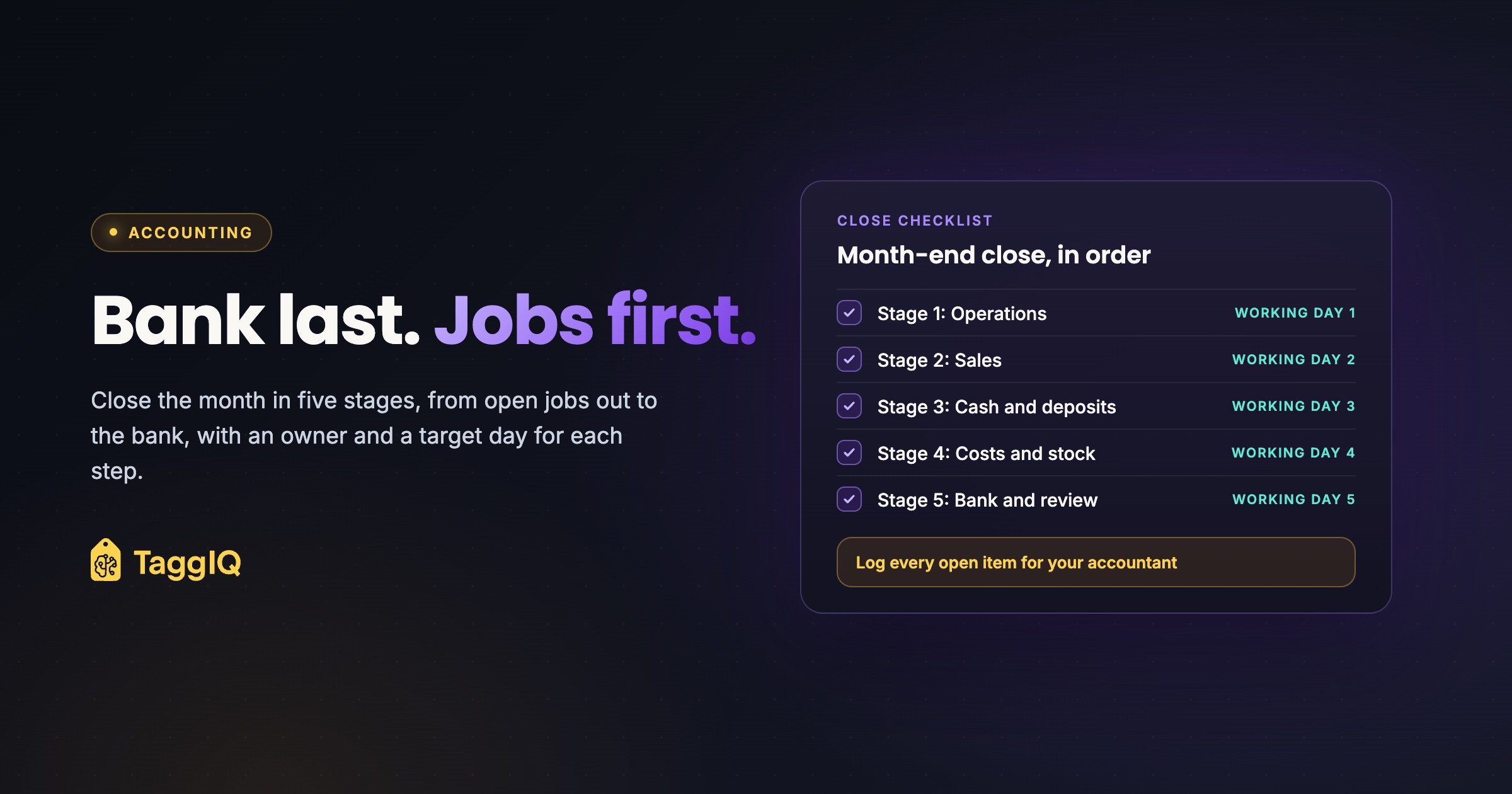
Work through five stages in order. Do not move on until the current stage is done or its open items are logged.
Stage 1: Operations
Pull a list of every job that was live at any point in the month and sort it into three groups.
- Complete and invoiced. Nothing to do here.
- Complete but not invoiced. Dispatched, collected or installed, with no invoice. These are the costly ones.
- Still open. Work in progress at month end. Note any deposit taken and any staged billing already raised.
For staged or partly invoiced jobs, such as a sign install billed half up front, record the balance still to bill.
Stage 2: Sales
Raise invoices for every completed but uninvoiced job, dated by your cut-off rule. Then check credit notes and reprints. Each credit note should point to the original job and invoice, so a remake does not look like a new sale or a mystery loss. The guide to reprints and remakes covers how to decide who pays.
Scan for duplicate invoices and duplicate customer contacts.
Stage 3: Cash and deposits
Treat each deposit as a customer prepayment held against a specific job until that job is invoiced. When the job is invoiced, apply the deposit to the invoice. Ask your accountant which account they want prepayments held in, and how they want them treated for VAT in your setup.
The check at month end: the prepayments balance should equal the deposit amounts still unapplied, job by job. Include staged and partly invoiced jobs, where part of a deposit may already sit against an invoice, and leave applied amounts out. Investigate any difference before you close.
Worked example
A shop runs 120 jobs in the month. At month end, 15 jobs are still open and 6 are dispatched but not invoiced. This example assumes no staged invoices, and every deposit listed is unapplied before Stage 2.
Before Stage 2 invoicing: £4,800. The prepayments balance in the accounts shows £4,800 held.
The job board shows deposits on 8 of the open jobs totalling £3,900, and on 2 of the dispatched jobs totalling £900. £3,900 + £900 = £4,800, so every pound is accounted for.
In Stage 2, the 6 dispatched jobs get invoiced. The two deposits, £900 in total, are applied to their invoices, so those customers owe only the balance.
After applying deposits: £3,900. Prepayments should now match the 8 open jobs exactly. If the balance shows £4,200 instead, there is £300 sitting against a job that has been invoiced, or a payment posted as a deposit by mistake. Filter deposits by job status and look for any deposit still held against an invoiced job.
Then review aged debtors and unallocated payments.
Stage 4: Costs and stock
Match purchase orders and supplier bills to jobs: blanks, substrates, inks, outsourced embroidery or print. Identify costs relating to completed jobs and ask your accountant how missing bills should be reflected in the month’s figures.
If a bill has not arrived, log it as an open item with the expected amount from the purchase order, the job number and who is chasing it. Otherwise the job’s margin looks too high now and the next month looks too low. The article on purchase orders for promo shops explains how to raise them so this match is quick.
Then record stock. If you buy blanks or sheet stock in bulk, note what you hold and your work in progress at month end, by count or estimate. Ask your accountant how they want stock and work in progress treated, and apply it the same way every month.
Stage 5: Bank and review
Now open the bank feed. Lines for single invoices, deposits and supplier bills should match quickly, because you already know which records exist.
Card machine and online checkout payouts need one more step. One payout can cover several invoices, with the provider’s fees already taken off. Clear each payout against the invoices it covers and post the fees as a cost. A clearing account makes this easier. It is a holding account that should net to zero. Confirm the setup with your accountant.
Finish with a short review: does revenue look right against the jobs completed, does gross margin look plausible given your stock and work-in-progress figures, and is the open-items log short? When you are happy, lock or mark the period closed in your accounting software, so nobody posts into it by accident.
The checklist
Adjust the owners and days to your team. Expect your first close to run past day 5, and tighten the days once the routine settles.
| Step | What to check | Owner | Target day |
|---|---|---|---|
| 1 | List all jobs live in the month; sort into invoiced, uninvoiced, open | Production lead | Working day 1 |
| 2 | Note balance to bill on staged or part-invoiced jobs | Production lead | Working day 1 |
| 3 | Invoice every completed job using the cut-off rule | Bookkeeper | Working day 2 |
| 4 | Link credit notes and reprints to the original job and invoice | Bookkeeper | Working day 2 |
| 5 | Check for duplicate invoices and contacts | Bookkeeper | Working day 2 |
| 6 | Apply deposits to new invoices; reconcile prepayments to unapplied deposits by job, including staged jobs | Bookkeeper | Working day 3 |
| 7 | Review aged debtors and unallocated payments | Bookkeeper | Working day 3 |
| 8 | Match purchase orders and supplier bills to jobs; log missing bills | Buyer or bookkeeper | Working day 4 |
| 9 | Count or estimate significant stock and work in progress; pass the figures to your accountant | Production lead | Working day 4 |
| 10 | Clear card and checkout payouts against invoices; post fees as a cost | Bookkeeper | Working day 5 |
| 11 | Reconcile the bank | Bookkeeper | Working day 5 |
| 12 | Review revenue and margin; clear or log open items | Owner | Working day 5 |
| 13 | Lock or mark the period closed | Bookkeeper | Working day 5 |
Keep a close log
A close log is a short list of anything you could not resolve: the item, who owns it, and the date it was cleared. Three columns is enough.
It does two jobs. It tells next month’s close what to chase first. And it gives your accountant a clear picture, which cuts the questions at year end. GOV.UK sets out the records a limited company must keep, including money received and spent and debts owed to and by the company; check your own obligations there or with your accountant.
Cut the re-keying that slows the close
Stages 2 to 4 are where you hunt for records that should have moved between your job system and your accounts but did not. The less you re-key, the less there is to find. If you use Xero, the article on Xero for print shops walks through where re-keying creeps in.
TaggIQ connects to Xero or QuickBooks Online and syncs invoices, payments including deposits and final payments, customer contacts and credit notes as you work. Purchase orders sync as supplier bills, each invoice and payment shows its sync status and matching accounting record, and duplicates are checked before records are created. There is an exportable sync audit log your accountant can review. TaggIQ does not lock periods for you, so the final step stays in your accounting software. If you are choosing a system for this, here is what to look for in print shop software.
Your next step this week: set your close date and cut-off rule, copy the checklist, and run Stage 1 on last month’s jobs. Count the completed jobs that were never invoiced.
See accounting sync See how TaggIQ keeps jobs, deposits and supplier bills in step with Xero or QuickBooks Online.
Frequently asked questions
What if a job is half finished at month end?
Leave it open and record any deposit and any staged invoice already raised against it. Note the balance still to bill. It moves to complete in the month it is dispatched or collected, under your cut-off rule.
What do I do with a payment I cannot match to any job?
Leave it unallocated, add it to the close log and contact the customer. Do not post it as a sale to make the bank reconcile, because it will reappear as a credit or a double payment later.
Can I close before every supplier bill arrives?
You may be able to close before every bill arrives. Log each missing bill with its expected purchase order value and job number, then confirm with your accountant how to reflect those costs before closing the period.

Dave
Dave writes for TaggIQ about running a profitable print, promo, sign and embroidery business: costing and estimating, margins, production flow, order workflows, pricing decisions and keeping customers coming back.