In this article 12 sections
- Who these trends are really for
- Four show trends and one office opportunity
- 1. DTF everywhere, and automated DTF application
- 2. UV and UV-DTF onto hard goods
- 3. Print on demand: copy the workflow rule, not the model
- 4. Admin workflow automation
- 5. EU Digital Product Passports for textiles
- What about embroidery and screen print?
- The trend assessment worksheet
- The break-even check: in-house or outsourced
- Cost and track any new method on its own
- Your next step this week
You came back from a show with a bag of samples and a head full of machines. Now you have to decide whether any of it belongs on your floor, and a wrong call ties up cash and space for years.
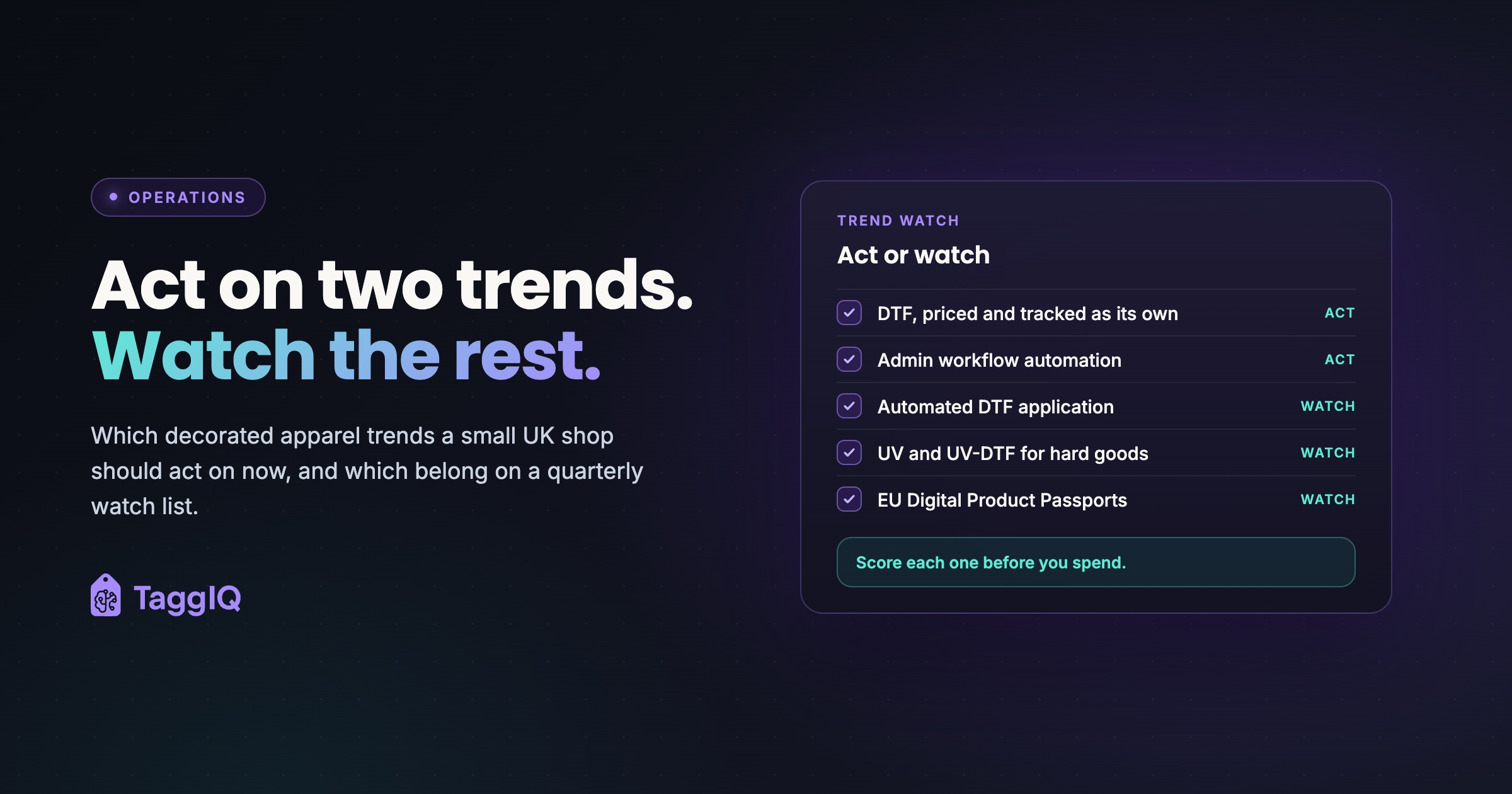
The short answer: very few decorated apparel trends need action this year. For a small shop, two do. Cost and track DTF as its own method. Fix the admin that slows every order, starting with a rule that no order is released until it is complete. The rest belong on a watch list, reviewed each quarter against your own orders, using the scoring worksheet and break-even sum at the end.

Who these trends are really for
Show coverage is written about the whole industry. Your shop is probably small. The 2025 FESPA Print Census surveyed 774 businesses in 89 countries, and 75% of respondents have fewer than 50 employees. Nearly half have 10 or fewer (FESPA, May 2026).
The same census found that nearly half of print service providers use no automation tools and about 40% use no AI. Those that do use AI mostly apply it to design support, colour management or basic scheduling.
A trend built for a large print-on-demand operation can be the wrong move for a ten-person shop with mixed business orders. So each trend here is judged on one question: what does it change for you?
Four show trends and one office opportunity
1. DTF everywhere, and automated DTF application
ASI reported that DTF (direct to film, where a design is printed onto film and heat-pressed onto the garment) equipment and supplies were widely displayed at PRINTING United Expo 2025. Manufacturers focused on efficiency, and automated DTF application covering placement, pressing and peeling was shown (ASI Central, October 2025).
What it changes for you: DTF covers short runs and multi-colour artwork without screens. If you already offer it, the action is pricing. DTF has different costs from DTG (direct to garment printing), so quoting them the same distorts your margin. The difference between DTF and DTG is worth knowing before you set either price.
Tag: act on pricing, watch the automation. Once pressing labour is a measured bottleneck, compare net labour saved at your actual volume with total equipment and running costs.
2. UV and UV-DTF onto hard goods
The same coverage highlighted UV and UV-DTF for high-perceived-value imprints on hard goods and uneven surfaces. It also showed flatbed UV with vision-based placement detection, where a camera finds the item and aligns the print (ASI Central, October 2025).
What it changes for you: it opens drinkware, tech accessories and awards to an apparel shop. That is a new product line, not a faster version of an old one. You need customers who already ask for hard goods.
Tag: watch. Test demand by buying in finished items or ready-made transfers first. Act when your quotes show steady hard-goods requests you currently turn away.
3. Print on demand: copy the workflow rule, not the model
ASI’s PRINTING United report noted growing interest in print on demand. It described an automated workflow that can reduce manual steps when it receives complete orders and print-ready artwork (ASI Central, October 2025).
What it changes for you: copy the rule. No order goes to production until sizes, artwork approval and quantities are locked. You can apply it to team and corporate orders without becoming an online fulfilment business.
Tag: act on the workflow rule as part of your admin fix, watch the model.
4. Admin workflow automation
This is not a show trend, but an opportunity the census data points to. Low automation adoption suggests the cheapest gains may sit in the office, not on the floor. A bottleneck trace will show whether that is true for you.
What it changes for you: before buying hardware to go faster, check where orders actually wait. A practical way is to find the bottleneck in your workflow by tracing a week of jobs. If orders sit waiting for a size list, a new press will not help.
Tag: act. Low cost to try, easy to reverse. AI tools for design support or colour management, the uses FESPA found, are a watch item: trial one only once orders stop waiting on admin.
5. EU Digital Product Passports for textiles
The European Commission plans to adopt the ESPR delegated act for textiles, which includes Digital Product Passport requirements, in Q4 2027, and says the timeline may evolve (European Commission textile page).
What it changes for you: if you sell into the EU, read the Commission’s page and check your own position with an adviser. Do not act as if the requirements are final, and do not ignore them either. Otherwise, keep it on your quarterly watch list.
Tag: watch.
What about embroidery and screen print?
This article only tags trends it can back with a dated source, so your core methods do not appear above. Your next big spend may still be an extra embroidery head or an automatic screen press. Run it through the same worksheet and break-even sum below.
The trend assessment worksheet
Use this before any equipment or service decision. Score each criterion from 1 to 3. A total of 12 or more suggests acting. Treat 12 as a starting point and adjust it to your own appetite for risk. Below it, add the trend to your watch list with a review date.
| Criterion | 1 point | 2 points | 3 points |
|---|---|---|---|
| Fit with your order mix | Rare in your jobs | Some jobs | Regular, repeat jobs |
| Cost to try | Equipment purchase | Lease or finance | Outsource or software trial |
| Reversibility | Locked in for years | Exit with a cost | Stop any month |
| Customer demand evidence | None yet | A few enquiries | Turned-away quotes logged |
| Source quality | Sales demo only | Trade press | Dated primary source |
Count the finance choice under Cost to try only. Score Reversibility on the exit terms and notice periods in the agreement.
Check fit against your real order history: run lengths, fabrics and artwork types. Ask for sample runs on garments you actually sell.
Worked example: scoring two trends
These scores are illustrative for a ten-person shop doing mostly club and workwear orders.
Automated DTF application: fit 1 (pressing is not the bottleneck), cost to try 1, reversibility 1, demand evidence 1, source quality 2. Total 6. Watch.
Complete orders before release (the print-on-demand workflow idea): fit 3 (every team order), cost to try 3, reversibility 3, demand evidence 2 (customers complain about chasing), source quality 2 (trade press). Total 13. Act.
The break-even check: in-house or outsourced
Before you buy kit for a new method, test demand by outsourcing. Buying ready-made transfers lets you sell the method before you own the machine. Then compare the two with a simple monthly sum.
Count only the costs that change. If you press transfers either way, pressing labour is the same and stays out of the sum. Fixed monthly costs go on one side; per-item savings go on the other.
Check the maintenance schedule of the machine you shortlist. Split its costs into those you pay whatever your volume and those that rise with output. Put the first in fixed costs and the second in the per-transfer cost.
Worked example: DTF transfers
All figures are illustrative. Replace them with your own quotes.
Outsourced: £2.50 per transfer, delivered.
In-house variable cost per transfer: film, ink and powder £0.60, misprint allowance £0.10, plus 2 minutes of printing time at £15 an hour (£0.50). Total £1.20.
Saving per transfer in-house: £2.50 minus £1.20 = £1.30.
In-house fixed monthly cost: lease on printer and shaker/curer £350, servicing and extraction £50, maintenance ink and wasted film £60. Total £460.
Break-even volume: £460 divided by £1.30 = about 354 transfers a month.
The shop currently buys 200 transfers a month. In-house would save 200 × £1.30 = £260, which is £200 short of the £460 fixed cost. Keep outsourcing, and review when volume passes about 360 a month.
Add the costs a demo will not mention: floor space, ventilation, operator training and downtime. Each one raises the break-even point. For the wider decision, see capacity planning: when to hire, buy a machine or outsource.
Cost and track any new method on its own
Cost each decoration method separately so you can check whether your prices cover it, even when you quote the customer a bundled price. Give each method its own rules: setup, per colour, per stitch or per transfer. Then check margin by method each month, keeping garment margin and decoration margin apart. If decoration margin on the new method falls below your other methods, fix the price before you scale it.
TaggIQ keeps the decoration method, including DTF, on quotes and orders. Its published decoration pricing rules cover screen print, embroidery, DTG and sublimation on each line item, so confirm how DTF pricing is set up before relying on it. It reports product and decoration margin separately per order.
Your next step this week
Pick the one trend you have been most tempted by. Score it on the worksheet. If it scores under your threshold, write it on a watch list with a review date three months out. If it is equipment, run the break-even sum with real quotes before you talk finance.
Then spend an hour on the admin side. Trace three recent orders and note where each one waited.
See custom apparel tools See how TaggIQ handles per-method decoration pricing, size collection and margin tracking for custom apparel shops.
Frequently asked questions
How often should I review my watch list?
Quarterly works for most decisions. Rescore each trend with any new order data, and move it to act only when the score passes your threshold.
Should I buy equipment outright or lease it?
Compare both over the same period, for example three years. For a lease or finance, use the monthly payment as the fixed cost. For an outright buy, divide the net equipment and installation cost by the months in that period and add it to your other fixed costs. Score reversibility on the exit terms.
What if a customer asks for a method I do not offer?
Log the request, even if you decline it. Turned-away quotes are the best demand evidence you can put on the worksheet, and they cost nothing to collect.

Emma
Emma writes for TaggIQ about practical AI and automation for print, promo, sign and embroidery businesses: AI assistants and agents, quoting and follow-up workflows, customer experience and keeping people in charge of the decisions that matter.