In this article 10 sections
- Why this matters for a print or promo shop
- Start with what you hold
- The three-question vendor check
- 1. Storage: where does it go, and for how long?
- 2. Training: will your inputs teach the model?
- 3. Access: who can see it?
- A one-line data rule for staff
- Keep a person between AI and the customer
- Plan for the day something goes wrong
- Applying the check to shop software
A customer emails a quote request with their name, phone number, delivery address and a logo file. Someone on your team pastes the whole thing into an AI chat tool to draft a reply. The reply is good. But nobody in the shop knows where that email now lives, who can read it, or whether it will help train someone else’s model.
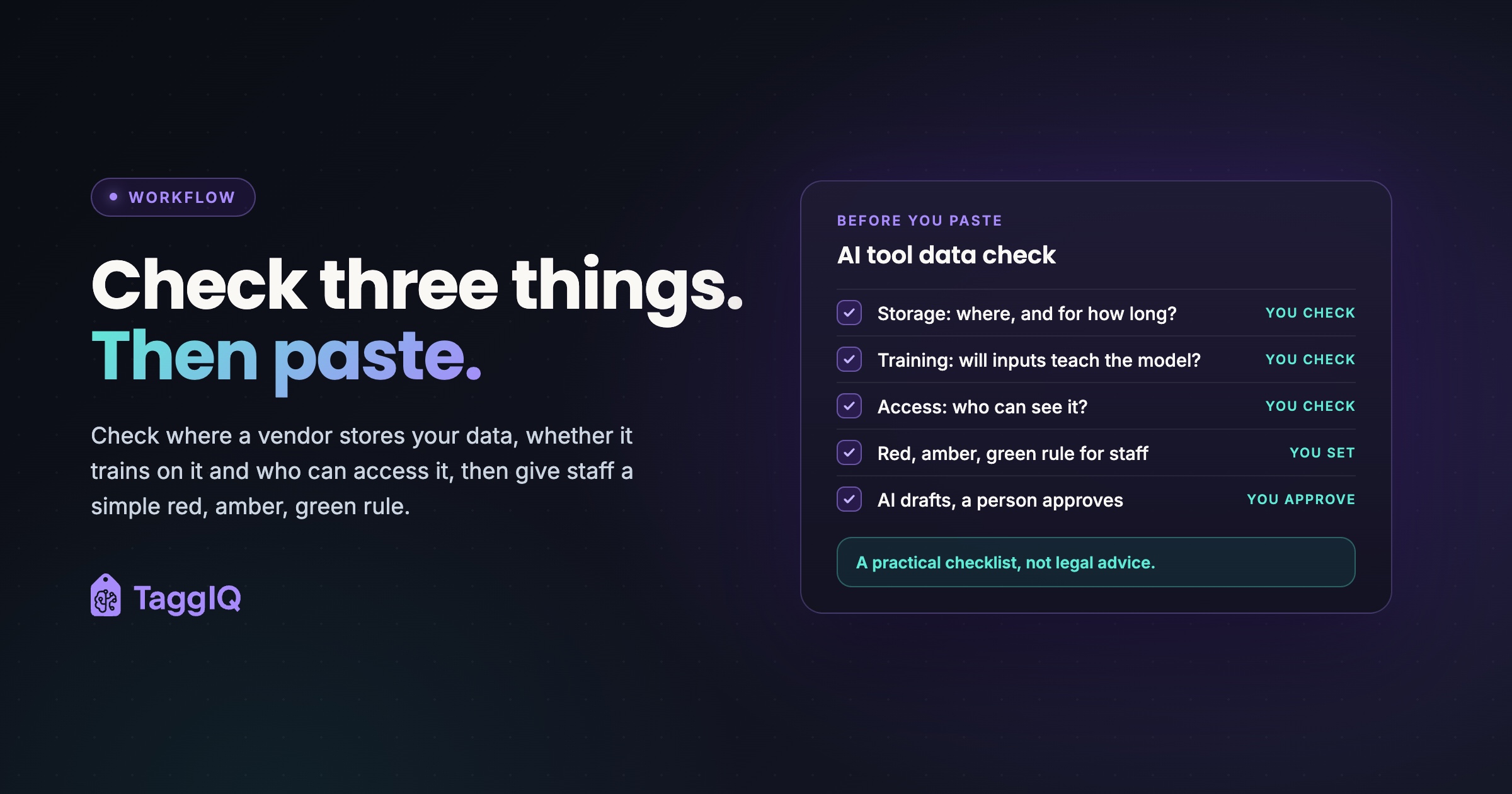
The short answer: before customer data goes into any AI tool, check where it is stored, whether it is used for training, and who can access it. Then give staff a simple data privacy rule for what they may paste. This article gives you both, plus a way to keep a person in control of what reaches customers. It is a practical checklist, not legal advice.
Why this matters for a print or promo shop
Shop data is not just names and emails. A typical day’s AI use might touch quote emails, a customer list export, a client’s unreleased logo, and your price breaks for a corporate account. Some of that is personal information. Some is confidential business information your customers trust you to protect.
The Federal Trade Commission has been direct about AI vendors here. In a 2024 post, FTC staff warned that AI model-as-a-service companies quietly using customer data to train models, or changing their terms to reuse data without clear notice and consent, may face enforcement. The post puts it plainly: “There is no AI exemption from the laws on the books.” (FTC Office of Technology)
That warning is aimed at vendors. Your job as a buyer is simpler: read what the vendor promises, and pick the settings and plans that match how you want your data treated. Check your own federal and state obligations with an adviser; this article does not cover them.
Start with what you hold
The FTC’s guide for businesses sets out five principles for protecting personal information: take stock of what you hold, scale down to what you need, lock it, pitch what you no longer need, and plan ahead for incidents. It also covers keeping an eye on the contractors and service providers who handle your data. (FTC, Protecting Personal Information)
An AI tool is a service provider. So the first step is a short inventory. Write down every AI tool anyone in the shop uses for work, who uses it, which account or plan it runs on, and what kind of customer data goes into it.
Include personal accounts. If a staff member uses their own free chat account for work, the shop may have no central admin over it and cannot assume its retention or training settings match the shop’s. Decide now whether that is allowed, and if not, give them a shop account instead.
The three-question vendor check
For each tool on your list, answer three questions. You can find most answers in the vendor’s terms, privacy policy, data processing agreement (DPA, the contract that says how a vendor handles your data) and subprocessor list (the third parties that process data on the vendor’s behalf).
1. Storage: where does it go, and for how long?
Look for the hosting region, how long inputs and outputs are kept, and what happens when you cancel. A good answer names a region and gives retention periods in days. A weak answer says data is kept “as long as necessary”.
Also check whether you can export your data and whether the vendor will confirm deletion on request.
2. Training: will your inputs teach the model?
Find the sentence that says whether your inputs are used to train or improve models. Then check the setting in your account, because the plan you are on can change the answer.
Do not assume a paid account means no training. Read the term and check the toggle. If you cannot find a clear statement, treat the tool as amber or red under the rule below.
3. Access: who can see it?
Check three layers. Inside your shop: can you control which staff use the tool and see each other’s chats? At the vendor: which subprocessors handle your data? And across customers: is your data kept separate from other businesses using the same tool?
Finally, check whether the vendor tells you when its terms or subprocessor list change. Vendors update both, and a change can quietly alter your answers to all three questions.
| Question | Where to look | Good sign | Warning sign |
|---|---|---|---|
| Storage | DPA, privacy policy | Named region, retention in days, deletion on request | “As long as necessary”, no export |
| Training | Terms, account settings | Clear statement plus a setting you control | No statement, or opt-out buried |
| Access | Subprocessor list, admin settings | Named subprocessors, role-based access, change notices | No list, shared logins, no notice of changes |
Worked example
A five-person embroidery and promo shop has three staff using an AI chat tool to draft quote replies. The owner lists the tools: one chat tool on two different plans, plus an AI feature inside the email client. That is three entries to review.
At about 15 minutes each to read the settings, terms and subprocessor list, the check takes 45 minutes. The review finds one staff member on a free personal plan with training switched on. The owner moves that person to the shop’s business account and marks the email AI feature amber until its training terms are clear.
Forty-five minutes, one real gap closed, and a list the owner can recheck each quarter.

A one-line data rule for staff
A checklist protects the shop only if staff know what to do in the moment. Give them one rule they can remember, and post it where they work.
Red stays out, amber gets stripped, green goes in.
| Color | What it covers | What staff do |
|---|---|---|
| Red | Payment details, full customer exports, passwords, anything a customer marked confidential | Never paste into any AI tool |
| Amber | Customer names, emails, phone numbers, addresses, unreleased logos and artwork, account-specific pricing | Only in vetted tools; otherwise replace with placeholders first |
| Green | Product specs, stitch counts, general wording, your own public price list | Fine in any tool |
Amber is where the time savings live. Replacing details with placeholders takes seconds and keeps the useful part of the request.
Worked example
Original text pasted by a salesperson: “Hi, this is Jordan Lee at Lakeside Dental, 555 0142. We need 150 polos with our new logo, delivered to 12 Harbor Rd by March 3.”
Amber version for an unvetted tool: “Hi, this is [CONTACT] at [COMPANY]. We need 150 polos with our new logo, delivered to [ADDRESS] by [DATE].”
The AI can still draft the reply, suggest garment options and ask about sizes. The salesperson swaps the real details back in before sending.
The same thinking applies to bigger files. Say you want AI help spotting reorder patterns in a 1,200-contact export with names, emails and order history. Removing names and emails is not enough, because customer IDs and order histories can still point to one customer. Use a vetted tool, or aggregate first, such as totals by month and product with no customer-level rows.
Keep a person between AI and the customer
The safest data rule still fails if AI can send things on its own. A wrong price or a message to the wrong customer is a data problem and a trust problem at once.
Set one rule alongside the data rule: AI drafts, a person approves. Nothing goes to a customer, supplier or your books until someone has read it. For more on where to draw that line, see what you should never let AI decide in your print shop.
Corporate buyers may also send you vendor security questionnaires. A tool list, a data rule and a human approval step give you honest answers to write down.
Plan for the day something goes wrong
The FTC’s breach response guide notes that all states, the District of Columbia, Puerto Rico and the Virgin Islands have laws requiring notification of security breaches involving personal information. (FTC, Data Breach Response) Check your own state’s law and talk to an adviser about your obligations; do not rely on this article for what applies to you.
The practical step this week: write down who in the shop would be told first, how you would revoke a tool’s access, and where your tool list is kept. That page is far easier to write now than during an incident.
Applying the check to shop software
The same three questions work for your quoting and order software, not just chat tools. If you are comparing systems, add them to the list in evaluating AI tools for your shop: a buyer’s checklist.
Ask each vendor for its DPA and subprocessor list and read them against the table above. Note how the vendor tells you about new subprocessors and how much notice it gives, then decide whether that works for you.
For the approval step, look for software that drafts and then waits. TaggIQ’s AI features require explicit confirmation before anything is sent to customers, suppliers or the books, and log every AI tool call in an audit trail.
Run the training question on any vendor yourself, TaggIQ included: find the statement, and if it is not there, ask.
Frequently asked questions
Is redacting names enough to make pasting safe?
It lowers the risk, but check what is left. A unique logo, an unusual address or a named event can still point to one customer. Strip those details too, or keep that text in vetted tools only.
What if a vendor will not answer my questions?
Treat the tool as red for customer data and use it only for green content such as product specs and general wording. An answer you cannot get in writing is not an answer you can give a corporate buyer.
How often should I recheck my tool list?
Pick a fixed rhythm you will keep, such as once a quarter, and also recheck whenever a vendor emails you about new terms or subprocessors. Put it on the same calendar as your other admin reviews.
Does this checklist cover my legal obligations?
No. It is a practical habit, not legal advice. Use the FTC guide to protecting personal information, linked above, as a starting point and check your own federal and state obligations with an adviser.

Emma
Emma writes for TaggIQ about practical AI and automation for print, promo, sign and embroidery businesses: AI assistants and agents, quoting and follow-up workflows, customer experience and keeping people in charge of the decisions that matter.