In this article 10 sections
- Why one queue fails when the machines are different
- Step 1: Name this week's constraint
- Step 2: Sort the backlog into setup families
- Step 3: Sequence the constraint by family, inside due-date windows
- The decision rule
- Step 4: Protect the press with a buffer and a rope
- Step 5: Move setup off the press while it runs
- The weekly print shop scheduling sheet
- A weekly rhythm that holds up past Tuesday
- What this changes in the business
Your shop runs an automatic screen press, a couple of multi-head embroidery machines, a DTF printer and some heat presses, and they all pull from one list. By Tuesday the press has washed up three times for jobs that could have shared ink. The embroidery heads sit idle while caps that arrived last week wait behind press jobs in the same list. And the job everyone agreed was next turns out to have no approved proof.
The short answer is to stop running one queue. Each week, name the machine that limits the shop’s output and sequence it by setup family inside due-date windows. Hold a time buffer in front of it, and let every other lane fill in around its plan.
Why one queue fails when the machines are different
A single first-in, first-out list treats every job as interchangeable. In a mixed shop they are not. A screen press changeover means pulling screens, cleaning out ink and re-registering. An embroidery changeover might be a single thread swap.
Run all of that from one queue and three things go wrong. First, the press pays for changeovers it did not need, because the order was set by arrival or due date instead of by what the press was already set up for. Second, other machines sit idle waiting for their turn in a line they never needed to join. Third, the stations that are not limiting output get loaded to the brim. That piles up work in progress without shipping a single extra order.
Step 1: Name this week’s constraint
The Theory of Constraints gives you five focusing steps:
- Identify the constraint.
- Decide how to exploit it.
- Subordinate everything else to that decision.
- Elevate the constraint.
- Once it has moved, start again, and don’t let inertia create a new constraint.
In a decoration shop the constraint moves around. It might be the auto press one week and the embroidery machines the next, during a cap-heavy run. When the order mix shifts, it can be the exposure unit or the heat press. So name the bottleneck fresh every week. For each machine, add the planned run minutes and setup minutes, then divide by the minutes that machine is really available. The machine with the highest ratio is this week’s constraint.
For the press, divide each job’s piece count by the pieces per hour your crew really holds on that kind of print, and multiply by 60. For embroidery, divide the stitch count by the stitches per minute you really run, multiply by the pieces, divide by the heads running, then add hooping time only for hoop changes done with the machine stopped, not for garments pre-hooped while it runs. If one crew moves between machines, cap each lane at the crew hours actually assigned to it, and check whether a person, not a machine, is the real constraint.
Worked example
All figures here are illustrative. The shop runs one 6-color automatic press, two 15-needle multi-head embroidery machines, one DTF printer and two heat presses, on one 8-hour shift, five days a week. After breaks, maintenance and end-of-day cleanup, each machine has about 32 hours (1,920 minutes) available for the week. The two embroidery machines together have 3,840 minutes, and so do the two heat presses.
Planned load (run plus setup) against available minutes comes out like this. Screen press: 1,520 of 1,920 minutes, or 79%. Embroidery: 2,300 of 3,840, or 60%. DTF printer: 900 of 1,920, or 47%. Heat presses: 1,400 of 3,840, or 36%.
The press is this week’s constraint. The shop holds back 20% of the press’s time (384 minutes) as a buffer for rushes, reprints and downtime, which leaves 1,536 minutes to plan. The 1,520-minute load leaves just 16 minutes spare.
Step 2: Sort the backlog into setup families
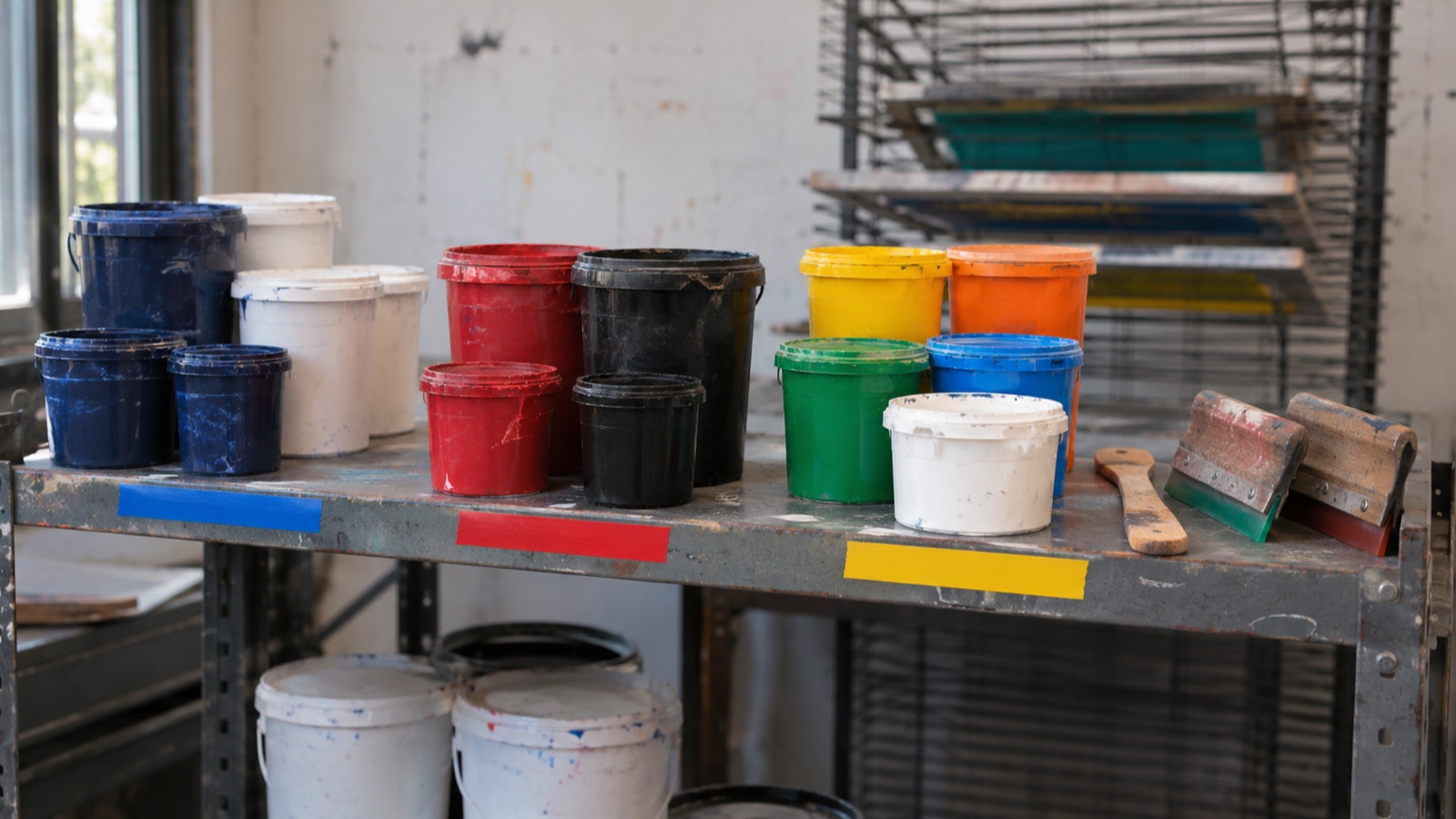
A setup family is a group of jobs that can share a setup, such as the same ink colors and mesh, the same thread palette and hoop, or the same garment type. Families are not fixed. Every week’s new jobs get sorted into families again, because this week’s backlog decides which jobs belong together.
| Method | Family key | What a family change costs | Setup you can do while the machine runs |
|---|---|---|---|
| Screen print | Ink colors, mesh, garment color (underbase or not) | Screens off and on, ink out, washup, registration | Burn and tape the next screens, mix ink, count and stage blanks |
| Embroidery | Thread palette, hoop or frame size, caps or flats | Rethreading needles, changing hoops or cap frames | Pre-hoop the next garments, load the design, set out thread cones |
| DTF print | Artwork that can be ganged onto one print run, grouped by the date the transfers must be applied | Printer time only: transfers print ahead, so a batch change does not hold up the heat presses | Gang artwork and queue files |
| Heat press | Platen size and time, temperature and pressure settings | Platen swap and warm-up | Sort transfers and garments by setting |
For embroidery, the thread palette is the key that matters most. Embroidery software documentation explains that needle-addressing machines link each color in the palette to a specific needle, so the machine must be loaded with the right thread colors to match the production worksheet. Jobs that share a needle loadout can run back to back with little more than a hoop change.
DTF and transfer work splits into two lanes: print and apply. Print transfers in batches ahead of time, then schedule the heat presses for application. If you are still deciding which garments go to DTF and which to direct-to-garment, see DTF vs DTG.
Step 3: Sequence the constraint by family, inside due-date windows
On press, run each family light to dark where your inks and screens allow it, so ink carries over and washups drop. But grouping on its own can push a job past its date, so you need a clear rule for when the due date wins.
The decision rule
- Split the constraint’s jobs for the week into ship windows: early week, midweek and end of week.
- Inside each window, group by family and run light to dark: light garments and light inks first, dark garments and dark inks last.
- A job leaves its family slot only if that slot would finish after its ship date minus your safety margin. As an illustrative starting point, use one working day for packing and shipping, then adjust it from your own history of late shipments.
- When a job has to move, put it at a family boundary, never in the middle of another family.
- Rushes and reprints go into the buffer, not to the top of the queue.
Worked example
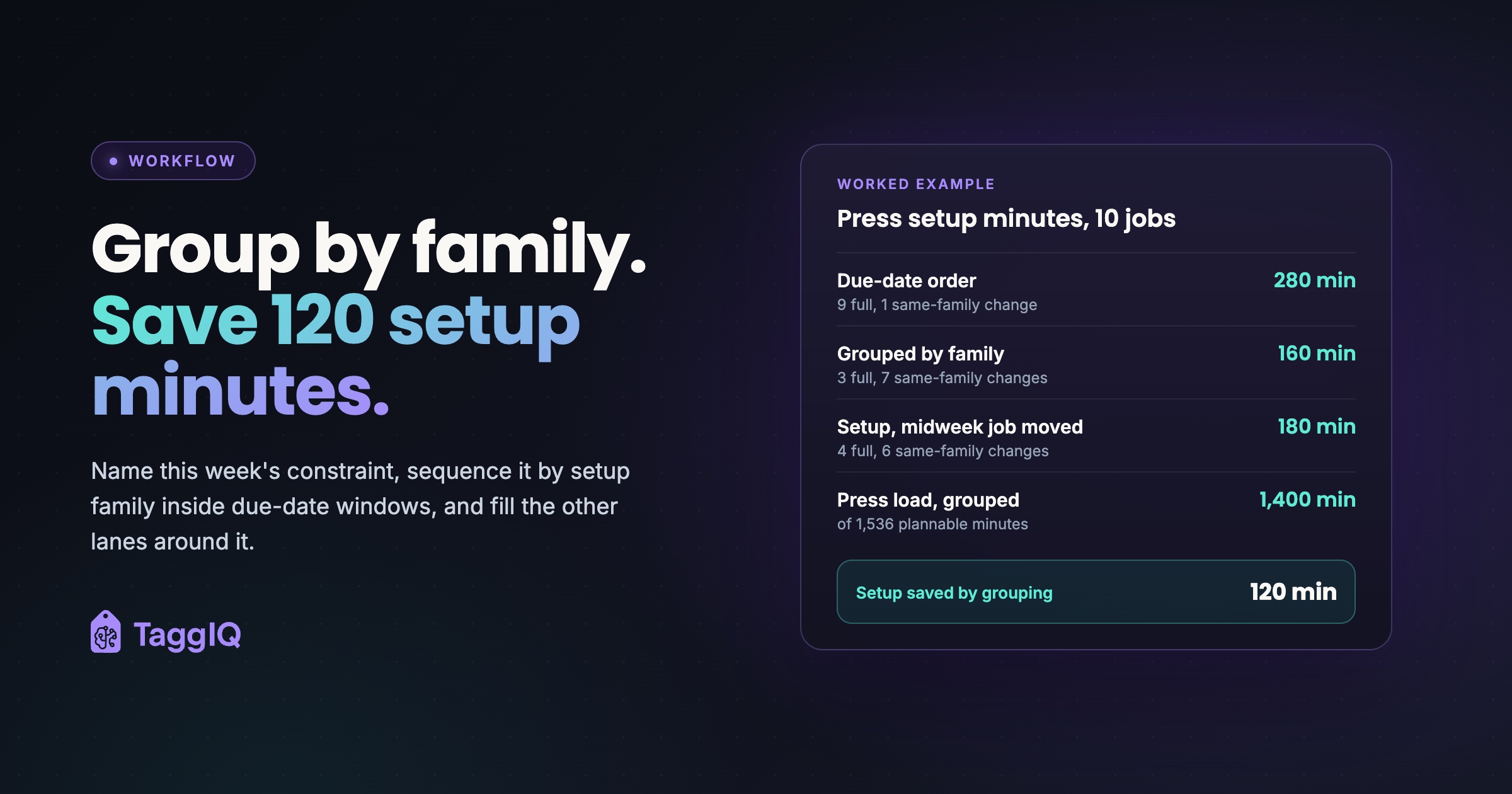
For simplicity, this example treats the week as one ship window and then applies rule 3 to the one job that would be late. The press has 10 jobs this week with 1,240 run minutes in total, in three families. Family A is navy and white on light tees. Family B is red and black on white tees. Family C is a white underbase plus bright colors on black tees. A full changeover between families takes about 30 minutes, and a change within a family about 10. The first setup of the week counts as a full changeover.
In due-date order the families run A B A A C B A C B C. That is 9 full changeovers and 1 same-family change, or 280 setup minutes. Grouped by family, A A A A B B B C C C, the week needs 3 full changeovers and 7 same-family changes, or 160 setup minutes.
Grouping saves 120 setup minutes on the press. The plan drops from 1,520 to 1,400 minutes, which leaves 136 minutes spare out of the 1,536 plannable minutes, and the 384-minute buffer is untouched.
Now suppose job C1 must ship midweek but its family slot runs on Thursday. Moving it to the boundary between A and B gives A A A A C B B B C C: 4 full changeovers and 6 same-family changes, or 180 setup minutes. The move costs 20 minutes, and the week still uses 100 fewer setup minutes than due-date order.
Two hours saved on the constraint can become two more hours of output for the whole shop, as long as there is work waiting to fill them. Two hours saved on a heat press running at a third of capacity mostly buys idle time. That is why grouping matters most on the constraint lane and is optional everywhere else.
Step 4: Protect the press with a buffer and a rope
Drum-buffer-rope is the Theory of Constraints way of scheduling. The drum is the pace the constraint can work at. The buffer protects the drum so it never runs out of work. The rope releases work one buffer-time ahead of the constraint, so the shop doesn’t start jobs too early.
In a print shop, the buffer comes in two parts:
- Held-back time on the constraint for rushes, reprints and downtime.
- Ready work staged in front of the press: the next jobs, with screens burned, ink mixed and blanks counted.
The rope means the screen room and receiving work to the press schedule. Screens for Thursday’s jobs get burned on Wednesday, not on Monday for a job nobody can run yet.
The constraint slot also sets the ship-together date for a mixed order. If the printed tees are slotted on press for Thursday, plan the embroidered caps to finish on Wednesday, not Monday. For a garment decorated twice, fix the constraint step’s slot first and time the other step around it.
A job only becomes ready work once it clears three gates: approved proof, blanks in, and screens or a digitized file ready. Until then it stays off the board, because a schedule full of jobs that can’t run is worse than a short one. Use a production handoff checklist to confirm approvals, stock and artwork specifications before release, and add a separate check that screens or the production file are ready.
Subordinating also means letting non-constraints run below full capacity. Starting extra work there just to keep them busy only builds piles in front of the press.
Step 5: Move setup off the press while it runs
Split every changeover on the constraint into two lists. Internal setup is anything that can only happen with the machine stopped. External setup is anything that can be done while it runs. Then move as many items as you can from the first list to the second.
On the press, that means screens taped and pre-registered off press, ink mixed and labeled, squeegees and floods matched to the next screens, and blanks counted and stacked at the press before the current job ends. In embroidery, pre-hoop the next garments and stage the next thread cones while the current job stitches. Change machine threading only with the machine stopped, following its manufacturer’s instructions.
The weekly print shop scheduling sheet
Use a whiteboard or a digital calendar with one lane per machine or station. Color-code each job card by status, and give every lane these columns:
| Column | What goes in it |
|---|---|
| Lane | Press, Embroidery 1, Embroidery 2, DTF print, Heat press |
| Job | Job number and customer |
| Family key | Ink colors and garment, or thread palette and hoop |
| Setup minutes | Expected changeover, given the job before it |
| Run minutes | Expected run time |
| Ship date | The date the customer was promised |
| Gates | Proof, blanks, screens or file: all three ticked or the job stays off |
| Slot | Day and position in the lane |
Put a buffer row at the top of the constraint lane only, holding the held-back minutes and the staged ready jobs. Don’t skip the setup minutes column: it is the one that shows what the grouping saved.
A weekly rhythm that holds up past Tuesday
- At the end of the week, pull next week’s backlog and check all three gates on every job.
- Total the load per machine and name the constraint.
- Build the constraint lane first, using families inside ship windows, then set the buffer.
- Fill the other lanes around it, timed so their work arrives when the constraint needs it.
- Check the board every morning. When a gate slips, re-sequence that lane instead of forcing the job through.
What this changes in the business
Fewer changeovers on the constraint mean less labor, ink, solvent, thread and fewer test prints per job, which protects margin on small and mid-size orders. Promise dates become more reliable, which cuts expediting costs such as rush shipping. When you can see the constraint’s load each week, you can decide when to add a shift, outsource or quote a longer lead time, instead of accepting every job and missing dates.
Your next step this week: total each machine’s load, name the constraint, and re-sort only that lane by family. Count the setup minutes before and after.
Get the handoff checklist Download the production handoff checklist, then add your own check that screens or the production file are ready.
Frequently asked questions
What if the constraint changes in the middle of the week?
Re-plan the lane that has become the constraint, not the whole board. A big embroidery order landing on Wednesday can push the embroidery machines past the press. When that happens, move the buffer and the setup-saving effort to embroidery and let the press run its existing plan.
How big should the buffer be?
Start with a share you can defend, then check each Friday how much of the buffer rushes, reprints and downtime really used. If it's always empty by Wednesday, make it bigger or quote longer lead times. If it's rarely touched, give some of it back to planned work.
Should I group by family on machines that are not the constraint?
Do it when it costs nothing, but don't hold a job back on a non-constraint just to save a changeover. Spare capacity there means the saved minutes are rarely worth a late shipment.
Do I need software to run this method?
No. A whiteboard with one lane per machine, a family key on each card and a gates checkbox will do the job.

Dave
Dave writes for TaggIQ about running a profitable print, promo, sign and embroidery business: costing and estimating, margins, production flow, order workflows, pricing decisions and keeping customers coming back.