In this article 13 sections
- Score every task on frequency, rule clarity and error tolerance
- Then rank by weekly minutes and revenue
- Seven print shop tasks, scored for a six-person embroidery shop
- 1. Re-keying web and email orders: automate now
- 2. Following up quotes for club kit and workwear: automate now, once the rule exists
- 3. Chasing proofs, size breakdowns and sign-off: human approval
- 4. Answering "where's my order?": human approval, for now
- 5. Ordering blank garments and stock: human approval
- 6. Raising invoices and chasing overdue payments: automate now
- 7. Prompting school, club and uniform reorders: keep manual for now
- How many office hours the grid could free
- Five ways a first automation goes wrong
- Run the scoring grid in your shop this week
It is Thursday afternoon and the office is still answering Tuesday’s emails. The same order has been typed into the job system and again into the accounts, three customers have rung about their hoodies, and last week’s quotes are still unchased. None of this work is hard. It just never stops.
The short answer: score each repetitive task before you choose a tool. Rate frequency, rule clarity and error tolerance; automate order re-keying, quote follow-up and invoice reminders first, keep artwork sign-off, status updates and supplier orders behind human approval, and leave reorder reviews manual until the process is clearer.

Score every task on frequency, rule clarity and error tolerance
Spend ten minutes with whoever actually does the admin and score each task on three criteria.
Frequency. How often does the task happen, from rarely to several times a day?
Rule clarity. Could an if/then rule cover most cases, such as “if a quote has had no reply after three working days, send the follow-up”? Or does every case need judgement?
Error tolerance. Higher means a mistake is cheap to catch and reverse, so the task is safer to automate. The scale below shows how to apply it.
Worked example: an illustrative scale
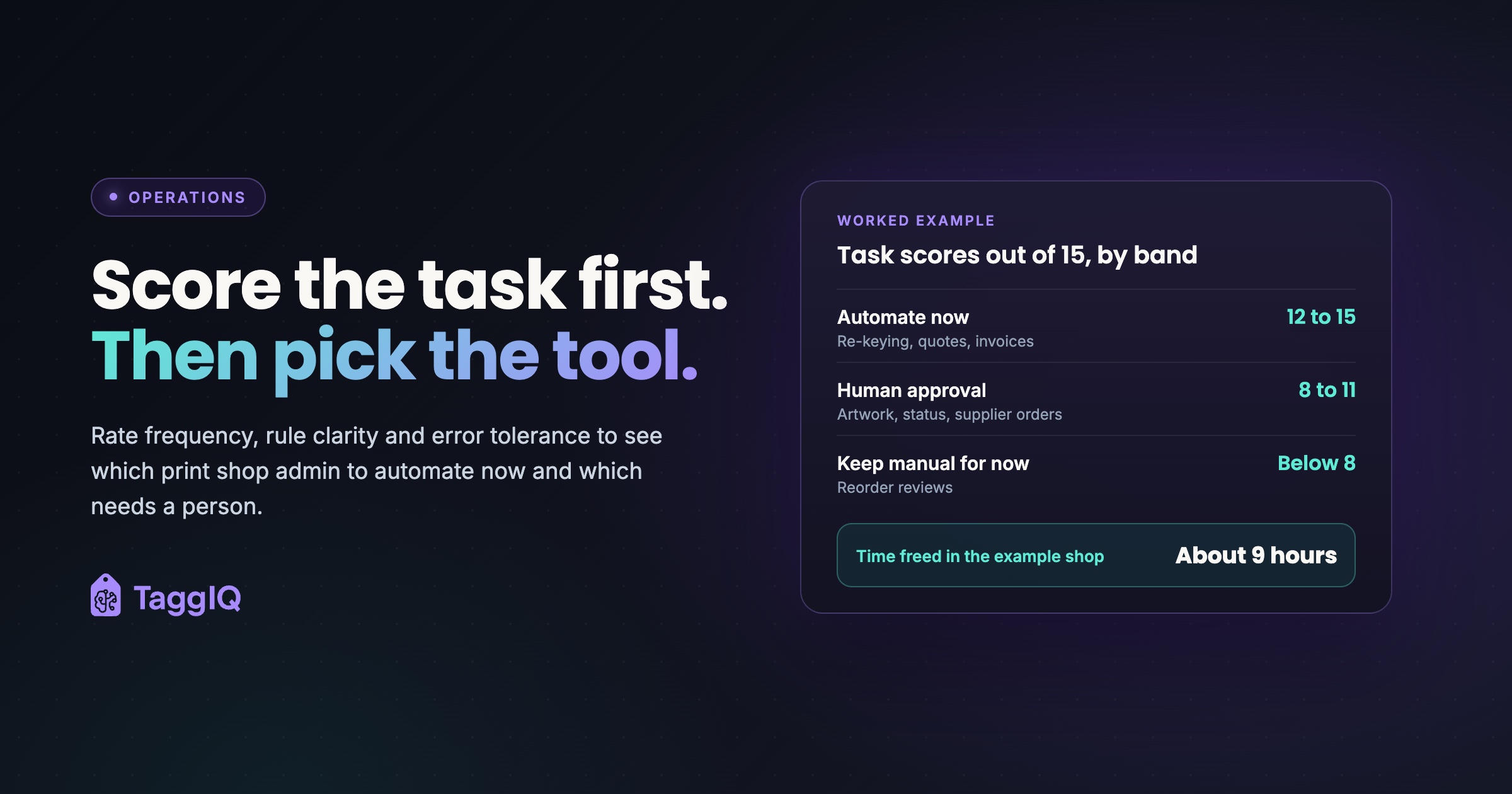
Score each criterion from 1 to 5. For frequency, 1 means monthly or less, 2 about weekly, 3 a few times a week, 4 about daily and 5 several times a day. For rule clarity, 5 means one sentence covers nearly everything. For error tolerance, a high score means a mistake is cheap to catch and reverse. Add the three for a total out of 15. In this example, 12 to 15 means automate now, 8 to 11 means automate with human approval, and below 8 means keep manual for now. These cut-offs are illustrative, not an industry standard, so move them if your shop wants to be more or less cautious.
| Band | Decision | What it looks like |
|---|---|---|
| Top scores | Automate now | The system acts on its own; staff handle exceptions |
| Middle scores | Automate with human approval | The system drafts or prepares; a person checks and sends |
| Low scores | Keep manual for now | Tidy the process, write the rule, rescore in a few months |
Then rank by weekly minutes and revenue
The score shows how easy and safe a task is to automate, not what it is worth. Add two columns: weekly minutes across everyone, and a revenue flag for tasks that win or keep sales, such as quote follow-up or reorder prompts. The score decides whether a task can run, needs approval or stays manual; net minutes saved ranks tasks inside each band. If a high-value task is not ready, repair its rules or records before automating it.
One trap: score frequency by how often the task is due, not how often anyone remembers to do it. For reorder prompts, count customers with a reorder due rather than prompts sent last month.
Seven print shop tasks, scored for a six-person embroidery shop
Worked example: the shop being scored
A small UK embroidery and print shop with six staff, around 40 quotes and 25 jobs a week, and one office person who handles all the admin. The scores, weekly minutes and revenue flags below are illustrative and apply to this example shop. The minutes are worked out in the hours example below.
| Task | Frequency | Rule clarity | Error tolerance | Total | Decision | Weekly minutes | Revenue |
|---|---|---|---|---|---|---|---|
| 1. Re-keying orders into the job system | 5 | 4 | 3 | 12 | Automate now | 150 | No |
| 2. Quote follow-up | 5 | 4 | 3 | 12 | Automate now | 120 | Yes |
| 3. Chasing artwork, sizes and proof sign-off | 5 | 3 | 1 | 9 | Human approval | 250 | No |
| 4. Order status updates to customers | 5 | 3 | 3 | 11 | Human approval | 60 | No |
| 5. Supplier purchase orders for blanks and stock | 4 | 3 | 2 | 9 | Human approval | 100 | No |
| 6. Invoicing and overdue payment reminders | 5 | 5 | 4 | 14 | Automate now | 150 | No |
| 7. Reorder review with account owners | 2 | 3 | 2 | 7 | Keep manual for now | 10 | Yes |
Within the automate-now band, re-keying and invoicing each take 150 minutes a week, the most in that band, while quote follow-up carries the only revenue flag. A shop short of time might start with either of the first two; a shop chasing sales might switch on quote follow-up first. Artwork chasing takes the most time, but its low error-tolerance score keeps a person on approval. The hours calculation compares time saved with the review each task still needs.
1. Re-keying web and email orders: automate now
Today, a school’s order for embroidered sweatshirts arrives through the web form, and the office types the names, sizes and logo position into the job system, then the totals into the accounts. Each retype invites a wrong quantity, size or colour that becomes a reprint at your expense.
Automation carries each form field into a new job and turns an accepted quote into the order without retyping. If quotes, orders and invoices sit in separate tools, a single order system that carries the quote through to the invoice is usually the cleaner fix, because there is nothing left to re-key. Free-text email orders are messier, so they arrive as draft jobs for checking.
A person still decides which system owns the final order details and corrects any mismatch. The move from spreadsheets to a system covers the wider process change.
2. Following up quotes for club kit and workwear: automate now, once the rule exists
Today, a quote for a football club’s printed training tops goes out and nobody looks at it again until the club has ordered elsewhere. Rule clarity scores well only once the rule is written down, for example “first nudge after three working days, second after seven, then stop”.
A scheduled sequence in your quoting system, customer relationship tool or email software can send those nudges in your shop’s voice. Check that it can spot a reply and stop on its own. Rules on marketing email can differ for sole traders, so check your own obligations against the ICO’s guidance.
A person handles whatever comes back, such as a price question or a changed quantity, and decides when a large or unusual quote deserves a phone call instead.
3. Chasing proofs, size breakdowns and sign-off: human approval
Today, a café’s apron proof sits unanswered, a running club’s size breakdown is still missing, and both jobs are holding a slot on the embroidery machine. This is really two tasks, scored together on the riskiest step, final sign-off; split out, chasing could score into automate now. Chasing is frequent and rule-bound: if a proof has been out two days with no reply, the system sends a reminder listing exactly what is still missing.
Approval is different. A wrong proof or size breakdown goes straight to the machine, so error tolerance gets the lowest possible score. A person signs off the final proof, checks it against the order and handles anything that changes the job. Artwork approvals over email covers where that process usually goes wrong.
4. Answering “where’s my order?”: human approval, for now
Today, the office stops mid-quote to look up a club’s hoodie order and ring back. Automation can draft the reply from the job status, such as “printed and ready for collection”.
Those drafts are only as good as the statuses behind them. In the example shop, statuses are updated at the end of the day, so a customer could hear their job has shipped when it hasn’t. A person checks the status is current and sends the update. Once statuses are reliable, rescore error tolerance; in this example one extra point would move the task into the automate-now band.
5. Ordering blank garments and stock: human approval
Today, once a workwear order is confirmed, someone copies each colour and size line into a supplier order. The system can draft that purchase order straight from the confirmed job.
The task is less rule-bound than it looks. A person decides on substitutions when a colour is out of stock, checks supplier minimums and sends the order, because the wrong colour or size run of blanks costs money and days. The guide to why purchase orders matter for promo shops explains this step in more detail.
6. Raising invoices and chasing overdue payments: automate now
Today, invoices are typed up after the van has left, and overdue ones get chased in a batch when cash gets tight. The rules are some of the clearest in the shop: invoice on dispatch or collection, remind on the due date, remind again after a set number of days, stop when paid.
The main risk, chasing someone who has already paid, drops sharply if reminders read payment status from your accounts. Check whether your accounting software can already send overdue reminders before buying anything new. If you sell in one system and keep the books in another, first stop re-keying invoices into your accounts. As general guidance, reminders should follow the payment terms you agreed with each customer, so check your own obligations where you trade; GOV.UK’s guide to late commercial payments is the official starting point.
A person rewords the reminders so they sound like your shop and handles disputes, special terms and the call to a long-standing customer.
7. Prompting school, club and uniform reorders: keep manual for now
Today, the school that buys PE kit every summer and the club that restocks each season both rely on someone remembering. Score this task from reorders that are due, not prompts someone happened to send in the past.
The useful automation here is small: an internal due list for the account owner. In this example the account owner reviews that list, checks the account history and decides whether and how to follow up. Rescore if the due schedule or review effort changes.
How many office hours the grid could free
Worked example
Illustrative weekly time for the example shop: re-keying 25 orders at 6 minutes each (150 minutes); 30 of the 40 weekly quotes get no quick answer and need a follow-up, at 4 minutes each (120); chasing artwork and sizes twice per job, so 50 chases at 5 minutes (250); 15 status enquiries at 4 minutes (60); 10 supplier orders at 10 minutes (100); 25 invoices at 4 minutes plus 10 payment reminders at 5 minutes (150); 1 reorder review at 10 minutes (10). That adds up to 840 minutes, or 14 hours a week.
Raising the invoice in the accounts is counted under task 6, not under re-keying, so nothing is counted twice.
Assume automation removes 80% of the time in the top band (420 minutes, saving 336) and half the time in the approval band (410 minutes, saving 205). That frees about 541 minutes, or roughly 9 hours a week. At an illustrative £17 an hour for admin time including employer costs, that comes to about £153 a week.
The example shows the top band produces the largest modelled savings, while the approval band still recovers time with a person checking exceptions. Freed hours are capacity, not cash: they become money only if you spend them on quoting and selling or genuinely need fewer paid hours. The estimate also comes before software and setup costs, so subtract review, exception handling and setup time before deciding what to automate.
Five ways a first automation goes wrong
- Rules nobody has agreed. If the team can’t say in one sentence when a quote is stale, the automation will fire at the wrong time and staff will stop trusting it.
- Unreliable statuses. Out-of-date statuses send customers wrong or early updates.
- No stop condition. Every reminder needs a stop rule, usually a reply, an approval or a payment.
- Too much at once. Switch on one automation, run it for a few weeks, then add the next, so you know which rule caused any problem.
- Choosing by annoyance. A rare, painful task feels urgent, but repeated re-keying consumes capacity every week.
A sensible order is to start with notifications and reminders, then move to automatic status changes once your job statuses are reliable.
Run the scoring grid in your shop this week
For each shortlisted task, record how many times it happens, the minutes spent, corrections needed and approval time. After a short pilot, compare the same measures. Keep an automation only when the time it returns is greater than review and exception handling, and errors stay easy to catch.
Print the seven-task table with the scores, minutes and revenue flags blank, and fill it in with whoever does the admin. From the top band, pick the task with the most weekly minutes or a revenue flag, and write its rule in one sentence, including when it stops. Then check the tools you already have and switch on that one automation first.
If invoicing is one of your top scores, compare the handoff with the systems you already use. TaggIQ can create an invoice from an order with its line items, pricing and customer details carried across.
See integrated invoicing See how TaggIQ turns an order into an invoice without re-keying line items, pricing or customer details.
Frequently asked questions
What if two of us score the same task differently?
Score separately first, then compare. A gap on frequency usually means one of you sees work the other doesn't. A gap on rule clarity usually means the rule only exists in one person's head, which is worth fixing before you automate anything.
When should a task move from human approval to fully automated?
Tally how often the approver changes a draft before sending it. If drafts go out unchanged week after week and exceptions are easy to spot, rescore error tolerance. If the new total crosses your threshold, let the task run on its own and keep checking a sample.
Do I need AI for any of this?
Not for most of it. Invoice reminders and quote follow-up can run on plain if/then rules. AI helps where the input is messy, such as reading an order from a free-text email or drafting a chase that fits the conversation, which is also where human approval matters most.

Emma
Emma writes for TaggIQ about practical AI and automation for print, promo, sign and embroidery businesses: AI assistants and agents, quoting and follow-up workflows, customer experience and keeping people in charge of the decisions that matter.