In this article 14 sections
- Why customers call when nothing is wrong
- The three-part pattern every message follows
- Map your internal stages to customer labels first
- If your supplier decorates and ships
- The five order status update messages, with wording
- Message 1: Order confirmed
- Message 2: Proof approved, date set
- Message 3: Materials in
- Message 4: Decorated, final checks
- Message 5: Shipped or ready for pickup
- The delay message: before the date, never after
- Worked example: one polo order, start to finish
- Make the sending cheap and reliable
- Set it up this week
The phone rings. It’s the club treasurer asking whether the 60 polos will be ready for the tournament. Someone finds the job, walks out to the embroidery floor, interrupts the operator and calls back to say yes, it’s on track. The order was never in trouble. The treasurer called because the last thing they heard from you was a proof approval eight days ago.
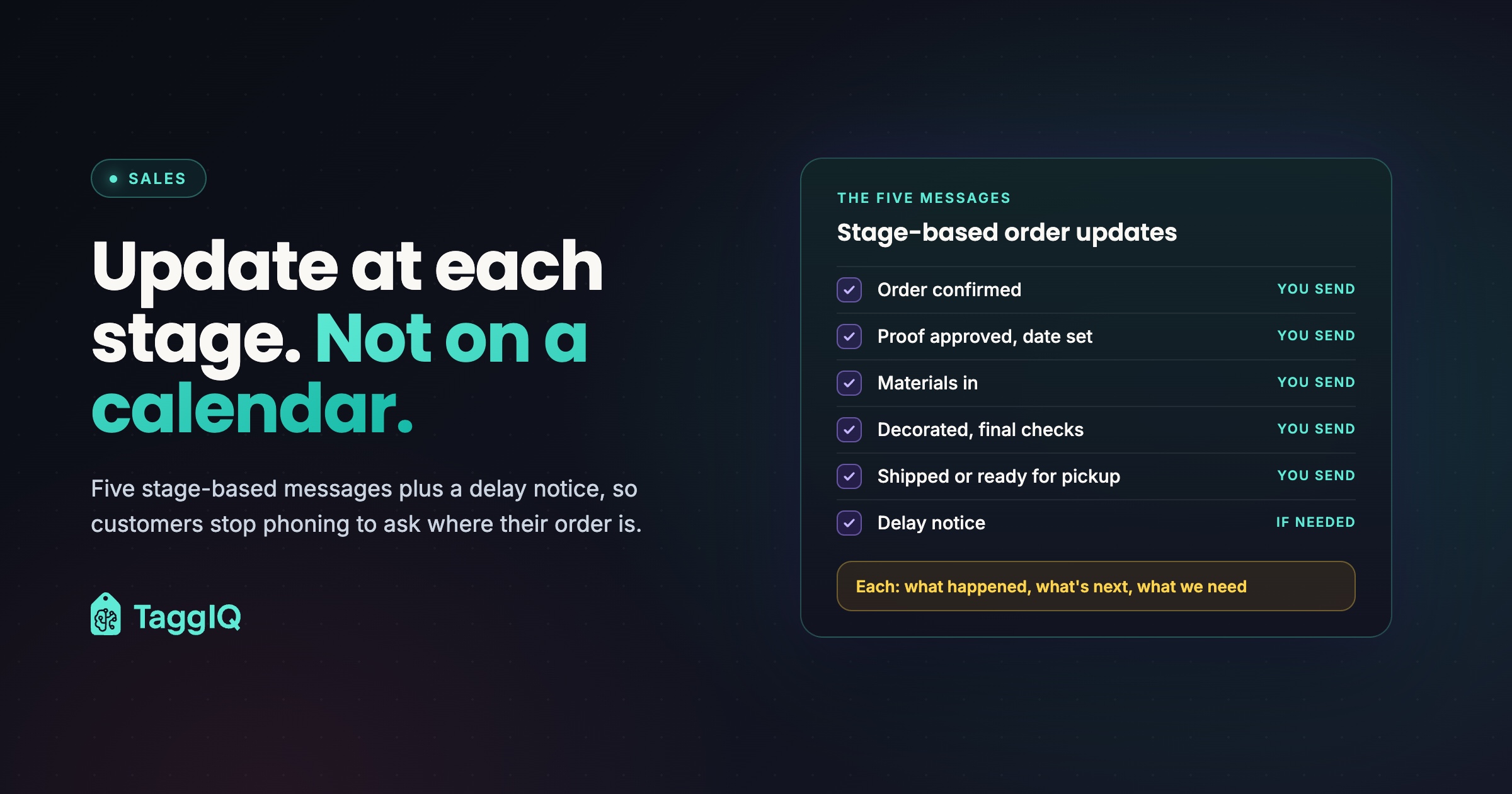
The short answer is to time updates by production stage, not by the calendar. Five messages cover most decorated orders. Each says what just happened, what comes next and roughly when, and whether the customer needs to do anything. One extra message, the delay notice, goes out before a date slips, never after.

Why customers call when nothing is wrong
If you send an order confirmation and a shipped or ready notice, the gap between them is production. That’s usually the longest part of the job, and the customer can’t see any of it. Silence there looks like a problem, so they call.
A weekly update doesn’t fix this. Most weeks it says “still in progress”, and customers learn to skim it. A stage-based update only goes out when something changed, so it always has news.
Worked example
Suppose your shop takes 12 “where is my order” calls a week at 5 minutes each, counting finding the job, checking with production and calling back. That’s 60 minutes of front-desk time a week, or 50 hours over a 50-week year, plus 12 interruptions on the production floor. That time comes out of quoting and selling.
The three-part pattern every message follows
Every update answers three questions, in this order:
- What just happened. One plain sentence.
- What happens next, and when. Include when the customer will hear from you again. A customer who knows the next update is due Thursday has no reason to call on Tuesday.
- What we need from you. A specific action with a deadline, or “nothing needed from you right now.”
Leave out the third line and approvals and deposits stall, then turn into delays you have to explain. If proofs are a regular sticking point, see Artwork Approvals Over Email: Why They Go Wrong and What Works.
Map your internal stages to customer labels first
List the stages your jobs actually move through and decide which ones the customer sees. Words like “digitizing”, “RIP queue” and “burning screens” mean nothing to a buyer, so customer labels should be plainer, and fewer.
| Internal stage | Customer label | Sends a message? |
|---|---|---|
| Order entered, deposit received | Order confirmed | Message 1 |
| Art prep, digitizing | Artwork in progress | No |
| Proof sent | Proof ready for your review | The proof email itself |
| Proof approved | Approved, production date set | Message 2 |
| Blanks ordered | Materials on order | No |
| Blanks received and checked in | Materials in, scheduled for production | Message 3 |
| On machine or on press | In production | No |
| Quality check and packing | Decorated, final checks | Message 4 |
| Shipped or on the pickup shelf | Shipped, or ready for pickup | Message 5 |
The “No” rows can still show on a status page. They just don’t get their own email, because customers messaged at every small step learn to ignore all of them.
If your supplier decorates and ships
Promotional-products distributors often never see the blanks or finished goods, because the supplier decorates and ships direct. The triggers then become the documents your supplier sends you.
| Event you see | Message |
|---|---|
| Order and deposit or PO from your customer | Message 1: order confirmed |
| Supplier proof approved and order acknowledgment with a ship date | Messages 2 and 3 merged: approved, ship date set |
| Supplier in production | Skip message 4 unless the supplier sends news worth passing on |
| Supplier’s ship notice with tracking | Message 5: shipped, with tracking |
Use the supplier’s acknowledged ship date, not your own estimate. If the ship notice is late, chase the supplier that morning so your delay message goes out before the customer asks.
The five order status update messages, with wording
Adjust the wording to sound like your shop. Square brackets are placeholders.
Message 1: Order confirmed
Send when the order is entered and the deposit or purchase order is in.
Message 1 wording
Thanks, your order for [quantity and item] is confirmed. Next, our art team will prepare your proof, and you should have it by [date]. What we need from you: [final size breakdown by date / logo file in vector format / nothing right now].
If the size breakdown is usually what holds this message up, the size collection guide covers getting exact counts without a week of back-and-forth.
Message 2: Proof approved, date set
Send when the customer approves the proof, but first confirm the blanks are in stock with your supplier. Promising a date before stock is confirmed is how shops end up walking a date back.
Message 2 wording
Your proof is approved and your order is booked into production. We’re ordering materials now. Target ship date: [date], for delivery by [in-hands date]. Next update: when materials arrive, expected [date]. Nothing needed from you right now.
If you order or reserve blanks at order entry instead, drop the “We’re ordering materials now” line. Send Message 3 when they arrive, or fold it into Message 2 if they’re already in.
For event-dated orders, such as team kits or uniforms for a start date, ask the customer to confirm the in-hands date while there’s still time to act on a change.
Message 3: Materials in
Send when the blanks have been received and checked in. This is the message that covers the long production silence.
Message 3 wording
Your materials have arrived and passed our check-in, and your order is scheduled to start production on [date]. Next update: when decoration is finished and your order is in final checks, around [date]. Nothing needed from you.
Message 4: Decorated, final checks
Send when decoration is finished and the job is in quality check and packing.
Message 4 wording
Your [items] are decorated and going through final quality checks and packing. They’re on track to ship [date]. [If a balance is due: your remaining balance of [amount] is due before shipping, and you can pay here: [link].] Otherwise, nothing needed from you.
Message 5: Shipped or ready for pickup
Message 5 wording
Your order has shipped with [carrier], tracking number [number], expected [date]. Or: Your order is ready for pickup at [address], [hours]. Please bring your order number, [number]. If anything isn’t right when you open the boxes, reply to this message and we’ll sort it out.
If you plan to text the pickup alert instead of emailing it, check your own obligations for business texts first.
The delay message: before the date, never after
When a date moves, the delay message replaces the next scheduled update. Send it as soon as you know. Bad news held back in the hope of catching up turns a scheduling conversation into a complaint.
If a date slips, tell the customer before the original date arrives. Whether extra rules apply to your orders depends on where you sell, so ask your adviser before you rely on any template.
Delay message wording
We need to let you know about a change to your order for [item]. [One plain sentence on the cause, for example: one polo color is back-ordered at our supplier.] Your new ship date is [date]. [Or: we don’t have a confirmed new ship date yet, and we’ll update you by [date].] If the new timing doesn’t work for you, reply to this message or call [number] and we’ll talk it through. [Your cancellation and refund wording, as checked by your adviser.]
This template covers the operational part: the cause, the new date and who to contact. Cancellation and refund wording is a placeholder on purpose. Get it from your adviser once, save it into your templates and reuse it.
Save a copy of every delay message with the job.
Worked example: one polo order, start to finish
Worked example
A youth soccer club orders 60 embroidered polos. The turnaround is 10 to 12 working days after proof approval, and the tournament is on working day 17. Every day in the table below is illustrative.
| Working day | What happens | Message sent |
|---|---|---|
| 0 | Order and deposit received | 1: Order confirmed, sizes due day 1 |
| 1 | Sizes received, proof sent | The proof email |
| 2 | Proof approved, blanks confirmed in stock | 2: Target ship day 14, next update day 5 |
| 5 | Blanks received and checked in | 3: Production starts day 6, next update around day 11 |
| 6 to 10 | Embroidery | None |
| 11 | Quality check and packing | 4: On track to ship day 12 |
| 12 | Shipped | 5: Tracking, expected day 14 |
The promised ship date of day 14 is 12 working days after approval, the slow end of the range. The job ships two days early and arrives three working days before the tournament. The longest silence, five working days of embroidery, was announced in message 3, so there’s no reason to call.
Make the sending cheap and reliable
The person who moves a job to the next stage is often an embroidery or press operator, who shouldn’t be writing customer emails. Split the work in two.
- Production updates the stage, and nothing else. On whatever job board, spreadsheet or software you use, the operator moves the job when it changes stage.
- One person sends the messages in a fixed morning sweep. Each morning the same person, often whoever answers the phone, finds the jobs that changed stage since yesterday and sends the matching template, saved in your email tool with its placeholders.
The delay message is the exception. Send it the moment you know.
Worked example
Take a shop that ships 15 orders a week and takes the 12 status calls a week from the earlier example. It already sends messages 1 and 5, so the new work is messages 2, 3 and 4: 45 messages a week. At about a minute each with saved templates, the sweep runs about 9 minutes a morning, or 45 minutes over a five-day week, against the 60 minutes the calls were taking. The desk time saved is modest. The real gain is 45 planned minutes instead of 12 unplanned calls, each of which can pull someone off the production floor. At 40 orders a week the same method means about 120 new messages, roughly two hours, so send from the system that holds your stages or a mail merge from your job list.
A self-serve status page or portal helps only if it shows the same status your team works from. If it still says “artwork in progress” after message 3 has gone out, customers call anyway and stop trusting it. Move the job’s stage first, then send the message.
Set it up this week
- List your real stages and give each a customer label, starting from the table above.
- Mark the five trigger stages. Production moves stages, and one person sends messages in the morning sweep.
- Save the five templates and the delay message in your email tool.
- For calls that still come in, give whoever answers the phone a line tied to the last message sent, such as: “Your materials are in, and your next update is when decoration is finished, around Thursday.”
- Add “who gets updates” and “in-hands date” to order entry. The buyer and the person who cares about the date, such as the treasurer and the coach, are often different people.
- Count status calls for one week before you start and again a month later.
If one stage keeps producing delay messages, it’s probably your bottleneck. Finding the Bottleneck in Your Print Shop Workflow shows how to find it.
If you use TaggIQ, what your customer sees is a plain-language order timeline built only from the stages you mark as customer-visible. You can give each stage a friendlier label, and internal stages stay hidden. Customers can approve or reject proofs there, and the decision is logged against the job. A “needs your attention” strip shows them pending proofs, unpaid invoices and open quotes. Keep the morning sweep running, and let the portal cover the days between messages.
See the customer portal See how a customer-visible order timeline can answer status questions before anyone picks up the phone.
Frequently asked questions
Should long jobs still get a weekly update?
If one stage genuinely runs past a week or two, such as a large sign fabrication, one check-in inside it is reasonable, as long as it says what has been done and whether the date still holds. Otherwise rely on the "next update" line from the previous message.
What if the customer is the one holding things up?
Say so kindly in the "what we need from you" line, with the consequence: "We need your approval by [date] to keep your ship date of [date]." If that deadline passes, send the delay message with the new date before the original date arrives, so the change is on record.
Can a portal replace the emails?
Not on its own. A portal waits for the customer to visit, while a message tells them there's something new to see. Use the messages to flag each change and the portal for detail between them, and make sure both always say the same thing.

Dave
Dave writes for TaggIQ about running a profitable print, promo, sign and embroidery business: costing and estimating, margins, production flow, order workflows, pricing decisions and keeping customers coming back.