In this article 10 sections
It’s mid-morning and you’ve already answered a pile of emails: two proofs, an artwork file too low-resolution to print, a parent asking when the team hoodies will be ready. An AI assistant could draft the rest in seconds. The trouble is that the drafts read like a letter from a bank, and a customer who has ordered from you for years will notice.
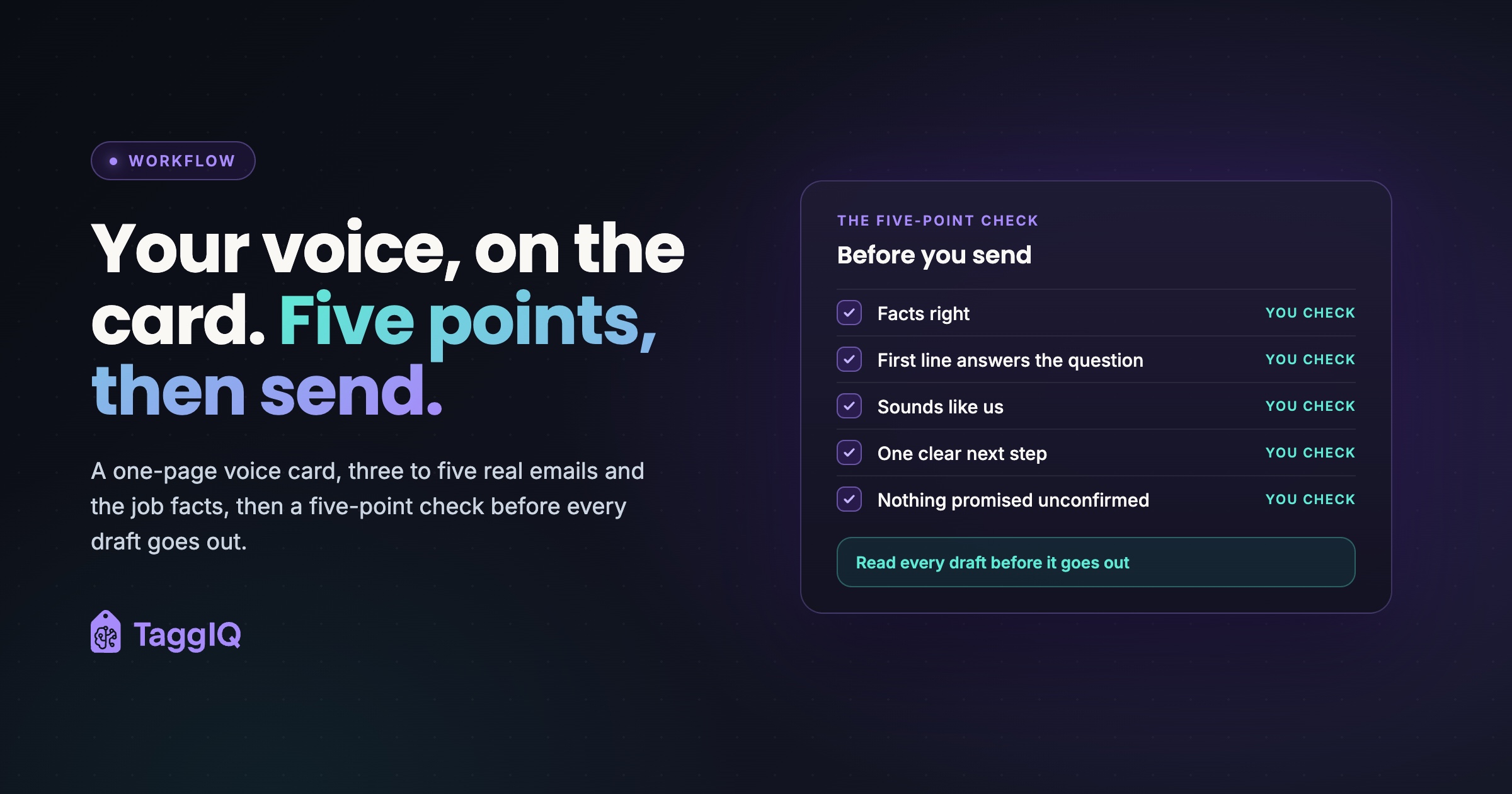
The short answer: AI drafts for your print or apparel shop sound generic because the assistant has never seen how you write. Give it a one-page voice card, three to five real emails you were happy with, and the facts of the job. Then read every draft against a quick five-point check before it goes out.
Why AI drafts sound like nobody
Ask for “a professional email” and you get the average of every professional email ever written: “I hope this email finds you well,” “please do not hesitate to reach out.” Nobody behind your counter talks like that. Saying “friendly but professional” barely helps either, because every business on earth describes itself that way.
Showing works better than describing. Anthropic’s prompting guidance says examples are one of the most reliable ways to steer a model’s tone, format and structure. It recommends relevant, varied examples, kept separate from your instructions. Three to five real emails is a practical place to start.
The other half of the problem is facts: the assistant can fill gaps with quantities, thread colors or dates that look right and are wrong, which is what the five-point check below is built to catch.
One voice, several tones
Mailchimp’s content style guide puts it neatly: “You have the same voice all the time, but your tone changes.” Tone also shifts with the emotional state of the person you’re writing to. For a shop, that means you sound like yourselves on every email, but a misprint email doesn’t read like a reorder nudge.
Map the tone for each repeat situation once, and the assistant (and any new staff member) stops guessing.
| Situation | Tone | First line should | Avoid |
|---|---|---|---|
| Quote follow-up | Warm, helpful | Remind them what was quoted and for what | “Just circling back” |
| Proof ready | Clear, brisk | Say the proof is attached and what to check | Burying the approval request |
| Artwork problem | Practical, reassuring | Name the problem and the fix | Jargon the customer can’t act on |
| Production delay | Calm, accountable | State the new date | Effusive apology, unchecked promises |
| Ready or shipped | Light, quick | Say where and when | Padding |
| Payment reminder | Polite, firm | Give invoice, amount and due date | Cheerfulness or threats |
| Reorder nudge | Friendly, specific | Reference their last order | Generic “we miss you” |
The one-page voice card
The card fits on one page, and you can fill it in at one sitting. If your assistant lets you save standing instructions or a project with reference files, store the card and your example emails there once, then paste only the job facts for each email. The example column shows an illustrative embroidery and print shop. Replace every line with your own.
| Field | What to write | Example |
|---|---|---|
| Who we are | One line, the way you’d describe the shop to a new customer | A small embroidery and print shop where you talk to the people making your order |
| Voice trait: direct | The trait plus a “this, not that” pair | “Your proof is attached,” not “We are pleased to inform you” |
| Voice trait: warm | Same format | “Hope the tournament goes well,” not “We value your business” |
| Voice trait: accountable | Same format | “We missed that, and here’s the fix,” not “Any inconvenience is regretted” |
| Greeting and sign-off | Exactly how you open and close | “Hi [first name],” and “Thanks, [your first name]” |
| Length and reading level | Sentence length, where the answer goes | Short sentences. The answer goes in the first two lines |
| Words we use | Trade terms your customers know | Proof, mockup, blanks, pickup, first names |
| Words we never use | Your banned list | Valued customer, kindly, circle back, do not hesitate |
| Bad news | Your rule for delays and mistakes | What happened, the new plan, the customer’s options. One apology. No date production hasn’t confirmed |
| Money | Your rule for invoices and reminders | Amount, invoice number and due date stated plainly. Polite, never cheerful, never threatening |
| Example emails | Real emails you were proud of | Three to five, covering different situations |
Filling it in fast
Open your sent folder and look for emails that got a warm reply or a quick approval. Those are your examples, and they’re also where your traits are hiding. Copy the phrases you actually use into the card.
Every trait needs its “not that” half. That half stops the filler, because it names the exact phrase the assistant would otherwise reach for.
Four before and after pairs
All four are invented for illustration. Each “before” is the kind of draft a vague prompt produces. Each “after” uses the voice card above.
Worked example
Proof ready, 48 embroidered polos
Before: “Dear Valued Customer, I hope this email finds you well. We are pleased to inform you that the proof for your order is now ready for your review. Should you have any questions or concerns, please do not hesitate to reach out. Best regards, The Team”
After: “Hi Maria, Your proof for the 48 navy polos is attached: left chest logo, 3.5 inches wide, in white and royal blue thread. Please check the spelling of the practice name and the thread colors. If it all looks right, reply ‘approved’ by Thursday noon and we’ll start stitching Friday. Thanks, Sam”
What changed: the first line answers the question, the details the customer must check are named, there’s one deadline, and a real person signs it. The Friday start date only goes in because production confirmed it.
Worked example
Production delay, 120 printed team hoodies
Before: “Dear Derek, We sincerely apologize for any inconvenience. Due to unforeseen circumstances, there has been a slight delay with your order. We deeply regret this and are doing everything in our power to resolve it. Rest assured your order will be ready by Thursday.”
After: “Hi Derek, Your 120 team hoodies are running late, and I’m sorry about that. The blank hoodies were due Friday and now arrive Tuesday, so printing starts Wednesday and pickup moves from Thursday to next Monday. If Monday is too close to the tournament, call me today and we’ll see whether production can have a first batch ready before Monday. Thanks, Sam”
What changed: one apology, a plain reason, the new date, and a real option. The “before” still promised Thursday, a date nobody had checked with production.
Worked example
Quote follow-up after seven days, 250 printed tote bags
Before: “Hi Priya, I just wanted to circle back and check in to see if you had a chance to review the quote we sent over. We would love the opportunity to work with you.”
After: “Hi Priya, Your quote for 250 printed tote bags for the fall book fair is good through October 15. To have them in hand a week before the fair, we’d need artwork approved by October 1. If the design or quantity has changed, reply with the new details and I’ll update the quote the same day. Thanks, Sam”
What changed: the email reminds her what was quoted, gives a useful date, and offers an easy next step. “Fall book fair” came from the notes on the customer record.
Worked example
Overdue invoice, 40 embroidered jackets
Before: “Hey Tom, Hope you’re having an awesome week. Just a friendly little reminder that your invoice is overdue. No worries at all if it slipped your mind. Whenever you get a chance would be amazing.”
After: “Hi Tom, Invoice 2047 for $2,480, for the 40 embroidered jackets you picked up on the 3rd, was due on the 17th and is now 10 days past due. You can pay by card using the link on the invoice, or by check. If something about the order or the invoice isn’t right, tell me and we’ll sort it out this week. Thanks, Sam”
What changed: the tone moves from breezy to polite and firm. The email states the amount, what it’s for and the due date, and it gives Tom a way to raise a problem instead of going quiet.
How to brief the assistant
Paste the same pieces in the same order every time, so drafts stay consistent across emails and staff.
- The voice card.
- Three to five example emails, clearly labeled as examples and kept separate from the instructions.
- The facts of this job: customer name, quantity, garment, decoration method, colors, dates, amounts.
- The situation and its tone row from the table.
- A length limit and a rule that the first line answers the customer’s question.
Worked example
The brief behind Maria’s proof email
The saved voice card and example emails sit above this. Situation: proof ready, tone clear and brisk. Facts: Maria, 48 navy polos, left chest logo 3.5 inches wide, white and royal blue thread; ask her to check the practice name and colors; approval by Thursday noon; production has confirmed a Friday start. Rules: under 90 words, first line says the proof is attached, one next step, sign as Sam.
Some email tools now learn style from your history. Google’s Gmail Help says “Help me write” can draw on your other emails and Drive files to match your tone and style, and a Sources link shows which items it used. Google also warns that Gemini features may suggest inaccurate or inappropriate information.
The warm details are what make an email feel personal: the tournament, the book fair, the logo change from last spring. Those should come from your job record or be typed in by hand, never invented by the assistant. If your team struggles to keep that history in one place, customer context is worth fixing first.
The five-point check before you send
Read every draft against these five points before it goes out:
- Facts right. Quantity, decoration method, thread or ink colors, sizes, dates, prices and names all match the job record.
- First line answers the question. A customer reading a proof or pickup email should have what they need in two lines.
- Sounds like us. Nothing from the never-use list, and you’d say every sentence out loud at the counter.
- One clear next step. Approve, pay, call or pick up. One action, not three.
- Nothing promised that production hasn’t confirmed. No dates, rush options or free fixes that nobody has agreed to.
A proof email that names the wrong thread color is exactly how artwork approvals go wrong, and the reprint comes out of your margin.
One shop, one voice
When each person uses AI their own way, one customer can get three different voices from the same shop in a week. Keep the voice card in one shared place, and keep a swipe file of good emails for each situation.
A shared card also lets new or part-time staff write emails that sound like the shop. Review their drafts closely at first, then move to spot checks. Quote follow-ups deserve the most care, because they’re revenue moments, and how you follow up on quotes without annoying the customer shapes whether the job comes to you.
Two things to check before you scale this up
Customer data. Before you paste names or order details into a consumer AI tool, check its data settings: whether your inputs are used to train its models, and whether a business plan handles that differently. Leave payment card details and home addresses out of prompts entirely. Check your own data protection obligations too.
Keep transactional emails transactional
The FTC’s CAN-SPAM compliance guide says what matters is a message’s primary purpose. Transactional or relationship messages, which the guide describes as content that facilitates or updates the customer on a transaction they have already agreed to, are mostly exempt but must not contain false or misleading routing information. In a shop, that would include proofs, pickup notices and invoices for an agreed order. Commercial messages must meet every requirement, and each violating email can carry penalties of tens of thousands of dollars. The maximum is adjusted for inflation, so check the FTC guide for the current figure. An email that mainly promotes a sale, such as a reorder nudge or a seasonal reminder, is likely to count as commercial, and a quote follow-up that pushes for the order can too. Those need every requirement, including a working opt-out, your shop’s postal address and an honest subject line. Adding a promotion to a proof email may change its purpose as well. This is general guidance, not legal advice, so check your own obligations.
Your next step this week
Block one session to fill in the voice card and pick your three to five example emails. Run tomorrow’s proof and pickup emails through it, check each draft against the five points, and wherever a draft still sounds off, add a line to the card.
See TaggIQ AI TaggIQ's AI drafts customer replies, quote follow-ups and overdue-invoice reminders for your review, and nothing reaches a customer until you approve it.
Frequently asked questions
Will my customers be able to tell an AI drafted the email?
They're far less likely to notice when the draft follows your card, uses your real examples and has gone through your check. What customers notice is filler and wrong details, which the card and the check remove.
Can I just let the assistant learn from my sent folder instead of writing a card?
Some tools can draw on your past emails to match your style, and that can help. A card still adds what your sent folder can't: your banned words, your rules for bad news and money, and the tone for each situation.
Should any emails skip the AI draft entirely?
Yes: a reply to a furious customer, or an apology for a reprint your shop caused. Those put the relationship most at risk. Write them yourself, or ask the assistant only to list the job facts, then write the message in your own words.

Emma
Emma writes for TaggIQ about practical AI and automation for print, promo, sign and embroidery businesses: AI assistants and agents, quoting and follow-up workflows, customer experience and keeping people in charge of the decisions that matter.