In this article 10 sections
- Why "it feels faster" is not proof
- Choose one task and define it tightly
- Time the whole job, not the clever bit
- The two-week measurement sheet
- Keep the two weeks comparable
- Run it: a two-week plan
- Read the result and decide
- Saved minutes are not saved money yet
- Mistakes that spoil the measurement
- Your next step this week
You started using an AI assistant for quotes or customer emails a few months ago. It feels quicker. But when someone asks how much time it saves, you have a feeling, not a number.
The short answer: time one task, end to end, for a week without AI and a week with it. Include checking, correcting and copying the output into your job system. Log rework. Then compare totals. Two weeks and a simple sheet are enough to tell you whether to keep paying.
Why “it feels faster” is not proof
Feel is a poor stopwatch. A controlled trial of software developers makes the point.
In a randomised controlled trial by METR, 16 experienced software developers worked on 246 tasks. Those using AI took 19% longer, yet afterwards believed AI had sped them up by 20%. METR published newer data in February 2026 on late-2025 AI tools. The lesson still stands: people can feel faster while the clock says otherwise.
A UK cross-government AI trial, with over 20,000 civil servants, reported average savings of 26 minutes per day, based on participants’ own survey answers.
That figure rests on how people felt, so it does not establish the saving in your shop. So measure your own.
Choose one task and define it tightly
Pick a task you do at least ten times a week, where AI is already involved. Good candidates in a print, sign or embroidery shop:
- Preparing a multi-item quote, such as embroidered polos and softshells with a left-chest logo
- Writing a quote follow-up email
- Turning a customer brief into a job description for production
Measure one task only. Measuring several at once gives you a pile of numbers and no clear answer.
Then write a one-line definition of where the task starts and stops. For a quote: “Starts when I open the enquiry. Stops when the quote is sent to the customer.” That definition stays fixed for both weeks.
Time the whole job, not the clever bit
The trap is timing only the moment the AI produces a draft. That part is fast. The real cost sits around it:
- Writing or pasting the prompt
- Reading the draft and checking prices, quantities and decoration details
- Fixing what is wrong
- Copying the result into your quote or job system
If the clock stops when the draft appears, you are measuring the tool’s speed, not your saving.
The two-week measurement sheet
Keep one row per task instance. A spreadsheet, a notebook or a shared doc all work. Log start and stop times as they happen, not from memory at the end of the day.
| Column | What to record | Why it matters |
|---|---|---|
| Date | Day the task was done | Spots unusual days |
| Week | Baseline or AI | Separates the two periods |
| Person | Who did it | Keep this the same where possible |
| Job reference | Quote or job number | Lets you check later |
| Complexity | Simple, standard or complex | Stops an easy week flattering the result |
| Start time | Clock time | Logged live |
| Stop time | Clock time | Logged live |
| Minutes | Stop minus start | The core number |
| Rework needed | Yes or no | A fast draft that needs fixing later is not a saving |
| Rework minutes | Time spent on the fix | Added to the total |
| Customer-facing error | Short note, or blank | Wrong price, wrong garment, wrong colour |
Keep the two weeks comparable
The comparison only works if the weeks are alike. Use the same person, the same task definition and a similar job mix. If the baseline week was full of complex 12-line workwear quotes and the AI week was mostly single-item tee orders, the result is meaningless.
The complexity column is your check. At the end, count how many simple, standard and complex jobs fell in each week. If the mix is badly lopsided, run another week rather than trusting the totals.
Run it: a two-week plan
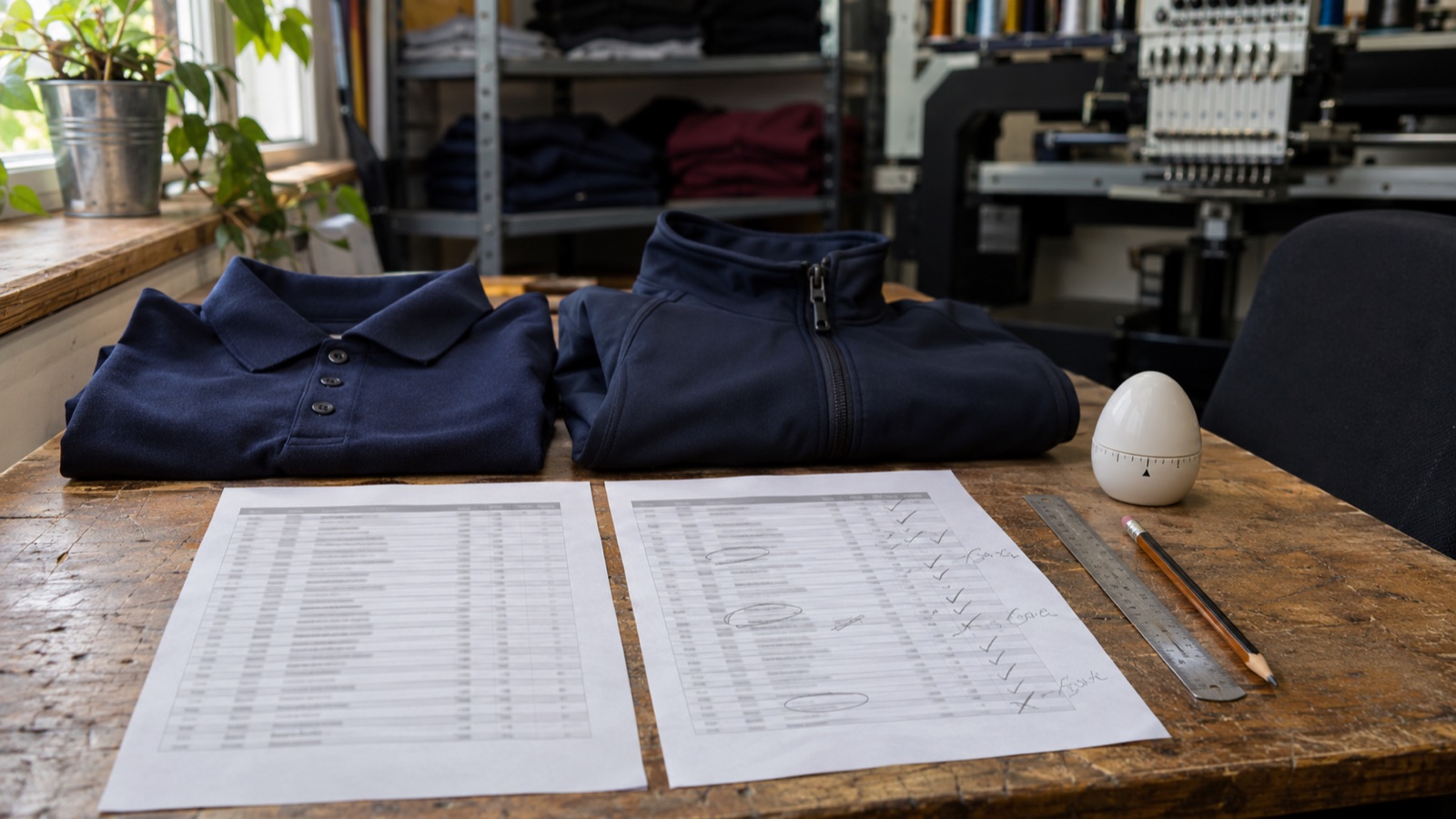
- Day 0. Write the task definition. Set up the sheet. Agree with the person doing the task that they log live.
- Week 1, baseline. Do the task your old way, no AI, ten times. Log every row. Pick a quieter week, and drop AI only for this task while other tasks keep using it.
- Week 2, with AI. Do the same task with AI, ten times, on comparable jobs. Time the prompt, the checking and the fixing.
- Rework window. Keep the sheet open for a few days after each week. If a quote comes back wrong, log the fix against the original row.
- Review. Total the minutes, including rework, for each week. Compare.
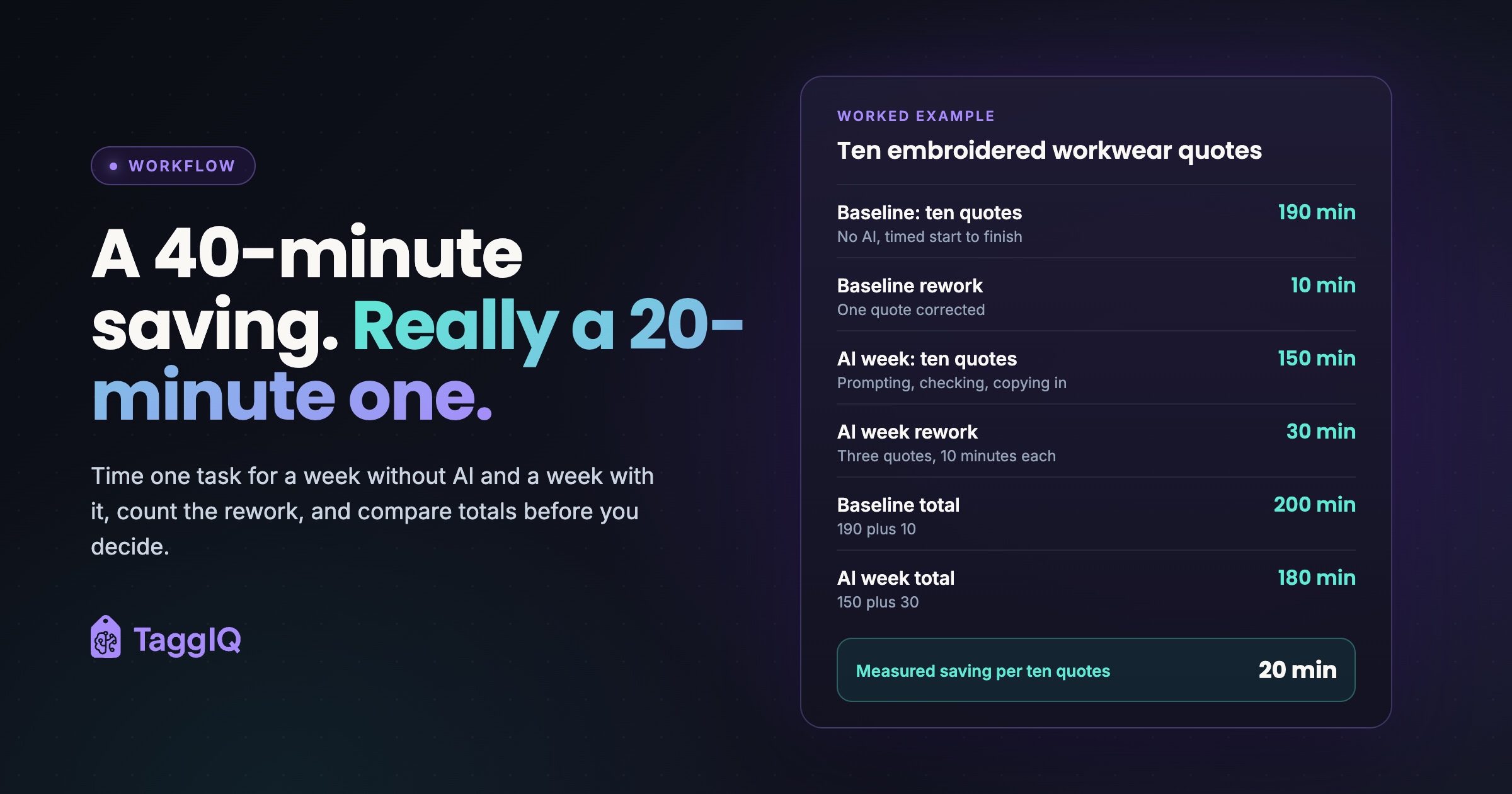
Here is how the numbers might look for one shop. These figures are illustrative.
Worked example
Task: preparing a multi-item embroidered workwear quote. One person, ten quotes each week, a similar mix of simple, standard and complex jobs.
Baseline week: ten quotes took 190 minutes in total. One quote needed a correction, which took 10 minutes. Total: 200 minutes.
AI week: ten quotes took 150 minutes, including prompting, checking and copying into the quote system. Three quotes needed corrections, 10 minutes each, so 30 minutes. Total: 180 minutes.
Measured saving: 200 minus 180 is 20 minutes per ten quotes, or 2 minutes per quote.
Notice what the sheet would have shown without the rework columns: 150 against 190, a 40-minute saving. Rework halved the real figure.
Converting to money: use your own hourly staff cost. At an illustrative £15 an hour, 20 minutes is £5 a week. Multiply the per-quote saving by your real weekly quote volume, then compare that with the tool’s weekly cost plus setup time.
The AI is saving some time, but the extra corrections are eating half of it. That points to the fix.
Read the result and decide
At the end of the fortnight you have three choices for this task.
| What the sheet shows | Decision | Next step |
|---|---|---|
| Clear saving, rework no worse than baseline | Keep | Measure the next task |
| Some saving, but rework or errors went up | Adjust | Tighten the prompt or add a checklist, then re-run the AI week |
| No saving, or slower once rework is counted | Drop for this task | Stop using it here; try a different task |
In the worked example, the answer is “adjust”. A standard prompt that names the garment, decoration method, positions and quantity breaks could cut the corrections. A short review checklist helps too. Our guide to templates and guardrails for keeping AI accurate covers both. Then run one more AI week and compare against the same baseline.
Saved minutes are not saved money yet
Twenty minutes a week only becomes money if it goes somewhere useful. Before you count it as a gain, decide where the time goes: chasing artwork approvals, calling back last month’s quotes, or getting quotes out the same day.
If AI shortens your quote turnaround, record enquiry-to-send time and track acceptance separately rather than assuming it improves. Our article on quoting speed looks at turnaround in more detail.
Mistakes that spoil the measurement
- Estimating afterwards. “That took about ten minutes” is the feel problem again. Log the clock.
- Changing the task halfway. If you add a new step in week two, the weeks no longer compare.
- A new person in week two. Someone learning the job is slower regardless of the tool.
- Ignoring errors that reach customers. A wrong price on a sent quote costs more than the minutes it saved. Note every one.
When one task is settled, move to the next. Over a few months you build a short list of tasks where AI earns its keep and tasks where you can stop paying. That list is the input you need when evaluating AI tools for your shop.
Your next step this week
Choose the one task, write its start-and-stop definition, and set up the sheet today. Monday starts the baseline week.
If quoting is the task you want to test, TaggIQ’s AI Co-Worker connects to supported AI assistants. It can look up customers, search connected supplier catalogues and draft quotes inside your shop system. Outreach drafts are never sent without your sign-off. It does not measure time savings for you, so the sheet above still does that job.
See TaggIQ AI See how TaggIQ's AI Co-Worker drafts quotes from your own customer and catalogue data, then time it against your current method.
Frequently asked questions
Is one week of ten tasks really enough?
It is enough to spot a clear saving or a clear loss on one task. If the two totals are close, or the job mix differed, run another week of each before deciding.
Should I tell my team they are being timed?
Yes. Explain that you are measuring the tool, not them, and that the result decides whether you keep paying for it. Ask them to log live and to record rework honestly.
What if we already use AI and have no baseline?
Run the baseline week without AI now, on the same task definition. It costs one slower week, and it is the only way to get a fair comparison.
Can I measure a task done by different people?
You can, but keep each person's rows separate and compare each person against their own baseline. Mixing people hides the effect of the tool.

Emma
Emma writes for TaggIQ about practical AI and automation for print, promo, sign and embroidery businesses: AI assistants and agents, quoting and follow-up workflows, customer experience and keeping people in charge of the decisions that matter.