In this article 10 sections
You have years of orders sitting in your system. Somewhere in there is a customer who will need the same embroidered polos next spring, a school that orders spirit wear in the same few weeks every year, and an account whose new office manager has never heard of you. None of them will appear on a list unless you build one.
Here is the short answer. Read your order history for five reorder signals: each customer’s own cadence, the seasons and budget years they buy around, recurring events, changes in who places the order, and drift in order size or timing. Review that list once a month, and contact each customer before their lead-time window opens, not when the goods are needed.
Why predictable reorders still arrive late
When reorder timing lives in someone’s memory or in the busiest rep’s inbox, a predictable job only surfaces when the client calls. By then the date may fall inside your normal production lead time, and you are choosing between rush production, overtime, a freight upgrade or a missed date. Each of those costs margin or goodwill.
The quieter loss is the reorder you never prompt, one way print shops lose repeat business without noticing. A repeat job reuses artwork, specs and product choices, so it should cost less to sell and set up than new business. If the buyer hears from another shop first, especially after a change of contact, that revenue disappears without anyone ever logging a lost deal.
Knowing who is due in the coming weeks helps the shop floor too. You can buy blanks earlier and slot work into quieter weeks, which makes a weekly production schedule far easier to hold.
Spotting repeating patterns across hundreds of dated orders is the kind of job software, including AI agents, can be set up to do. The method below works with a spreadsheet, and running it by hand first shows you exactly what to ask of any tool.

Get the dates right before you look for patterns
Two small data choices decide whether your timing is useful.
Measure from the need-by date, not the invoice date. The customer’s need is anchored to an event, a season or a start date. Invoices go out after delivery and move with your own workload. If you project the next order from the last invoice, every outreach lands late by however long your jobs and billing take.
Tag each order by type. Mark it as a cadence order (the regular program order), a top-up (a small in-between order, such as uniforms for new hires) or a one-off (a single event that will not repeat). Mixing these together distorts the gap and fills your due list with customers who were never going to reorder.
If you have not recorded need-by dates, use the ship or delivery date as the closest stand-in and start capturing need-by dates on every new job.
The five reorder signals
1. Cadence: each customer’s own rhythm
Standard recency, frequency and spend scoring ranks customers against each other. For a decorator or promo distributor, comparing each customer with their own history matters more. A quarterly uniform account and a signage client on a much longer refresh cycle are both healthy if they keep to their own rhythm.
Work out each customer’s gaps between need-by dates on cadence orders. When you have several gaps, take the median (the middle value), which one odd year cannot drag around. Project the next expected date, then work backward:
Outreach date = expected need-by date minus (customer decision time + proof and approval + production + shipping and buffer).
Worked example
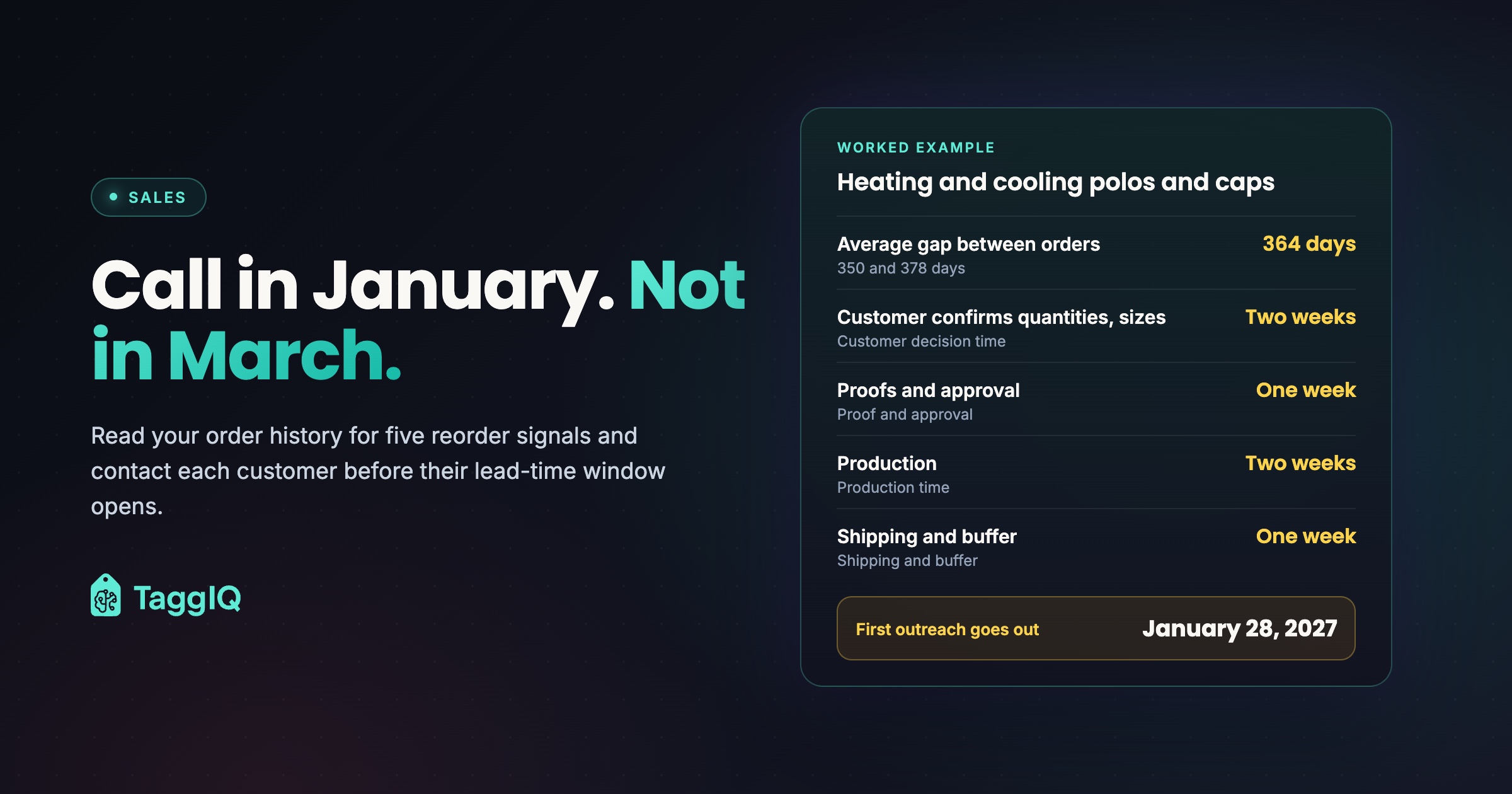
A regional heating and cooling company orders embroidered polos and caps for its spring service season. Its need-by dates were March 14, 2024, February 27, 2025 and March 12, 2026. The gaps are 350 and 378 days, a median of 364 days (with two gaps, the median and the average are the same), so the next expected need-by date is around March 11, 2027. Because this is a seasonal account, also check that the date still sits in its usual late February to mid-March window. It does.
Allow two weeks for the customer to confirm quantities and collect sizes, one week for proofs and approval, two weeks for production and one week for shipping and buffer. That is six weeks, so the first outreach goes out on January 28, 2027.
Projected from an invoice sent a week after delivery, both dates would slide a week later, out of the customer’s decision time.
2. Seasons and budget calendars
Seasonal customers buy in the same calendar window every year, whatever the day count says: schools before the school year, sports leagues before the season, companies before holiday gifting. For these accounts the calendar month matters more than the gap. Line up their past order dates by month and check whether the date is creeping earlier each year. If it is, move your outreach earlier with it.
Budget years are a second calendar. The US federal fiscal year runs from October 1 to September 30, a schedule in place since fiscal year 1977 under the Congressional Budget Act of 1974, according to the Congressional Research Service. If you serve government or government-adjacent buyers, mark both dates and look at where their past orders fall. For corporate clients, ask when their budget year starts and note it on the account rather than guessing.
3. Events
Annual conferences, trade shows, charity runs, store openings and anniversaries all drive orders. The event date lives outside your system, so put the event name and date on the job record. Next year, the event sets the clock, not the date of the last order.
4. Staff changes
People move jobs. Median tenure with their current employer for US wage and salary workers was 4.1 years in January 2026, falling to 3.0 years for workers aged 25 to 34 and rising to 9.6 years for those aged 55 to 64, according to the Bureau of Labor Statistics.
That movement reaches your accounts in two ways. The person who places orders can change, and the replacement may not know your shop exists. And client firms keep hiring, which drives new-hire uniform and onboarding-kit top-ups between the main program orders.
Record the buyer contact on every order, not just on the account. When a new name appears on an order, an email bounces or an out-of-office says someone has left, treat it as a signal. Send the new contact a short introduction covering what the account ordered last time, the approved logo version and when the next order is expected.
5. Drift
Drift is the signal that an account is slipping: a gap stretching past its normal length, order sizes shrinking, or fewer product lines on each order. Write the rule down so the list does not depend on who runs the review. Flag an account when the time since its last cadence order passes a drift multiple of its median gap, set below your overdue multiple, or when its latest cadence order’s quantity or line count falls below a set share of its recent average. Then call and ask about their plans before the gap reaches overdue.
| Signal | What to look for in your history | What to do |
|---|---|---|
| Cadence | Gaps between need-by dates on cadence orders | Project the next date and work back to an outreach date |
| Seasons and budgets | Orders in the same month each year; budget year start | Contact before the window, earlier if dates are creeping |
| Events | Jobs tied to a named event | Set next year’s clock from the event date |
| Staff changes | New name on an order, bounced email, top-up orders | Introduce yourself to the new buyer; plan for top-ups |
| Drift | Longer gaps, smaller orders, narrower range | Call and ask before the account lapses |
Worked example: separating a uniform program from its top-ups
A property management company has cadence orders with need-by dates of January 15, May 14 and September 16, 2026, plus top-up orders for new hires on March 18, July 9 and October 21. Averaged together, those six orders suggest the client orders about every eight weeks, and you would chase them with the wrong conversation.
Separated, the cadence orders are 119 and 125 days apart, a median of 122 days (with two gaps, the median and the average are the same), so the next program order is expected around January 16, 2027. The top-ups follow the client’s hiring, so the useful question for them is how many people they plan to bring on, not when they will reorder.
Turning signals into a monthly list
Each month, sort your accounts into four groups. Due: the outreach date falls before your next review. Overdue: time since the last cadence order has passed your overdue rule, a multiple of the customer’s own gap. Contact changed: a new or missing buyer. Drifting: past your drift date, or with a latest cadence order below your size rule, and not yet overdue. Due customers get a prepared reorder note. The other three groups get a personal call.
The due list does the catching; the drift and overdue flags are backstops for accounts that slipped past it. If a due customer has not replied by the date production would need to start to meet their need-by date, call them that week.
Monthly reorder review
- Keep two tabs
Keep an order log with one row per order: customer, need-by date, type tag, buyer contact, order value, quantity and products. Build a customer summary from the cadence-tagged rows: last cadence need-by date, median gap, expected next date, outreach date, drift date and overdue date.
- Refresh the dates
Add orders delivered since the last review to the log, then recalculate the summary from it so every gap and date reflects the latest cadence orders. Update any seasonal, budget or event dates you have confirmed.
- Pull the due list
Filter for customers whose outreach date falls before your next review. These are this month's contacts.
- Flag overdue and drifting accounts
Mark anyone past their overdue or drift date, plus anyone whose latest cadence order fell below your size rule. These go to the owner or account lead for a call, not a template email.
- Check contacts
Look for new names on recent orders, bounced emails and departures you have heard about. Add an introduction to each new buyer to the list.
- Assign and prepare
Give each name to a rep with the last order attached: products, approved logo version, decoration method and size breakdown. Before quoting, check current cost, stock, colorways and size ranges, because last year's price and spec may no longer hold.
- Log the outcome
Record whether each customer confirmed, moved the date, changed the order or went elsewhere.
Worked example: sizing the review
A shop has 300 active customers in its order history. Of those, 40 have three or more cadence orders, enough to project a date. The other 260 are tracked by season or event date where one exists and otherwise left off the due list.
The shop sets its overdue rule at 1.5 times each customer’s own gap. For the uniform program above, that is 1.5 × 122 = 183 days, so if no cadence order arrives after September 16, 2026, the account is flagged on March 18, 2027.
Its drift rule is 1.25 times the gap, or a cadence order below 75 percent of the average quantity of the previous three. For the uniform program, 1.25 × 122 is about 153 days, so it moves to drifting on February 16, 2027. That is a month after the expected January 16 need-by date, which is why drift and overdue are backstops to the due list. Both thresholds are starting points: tune them once you see which flags turn out to matter. With both tabs in place, the monthly pass takes 30 to 45 minutes.
Where software helps
If your shop runs on TaggIQ, Reporting shows customer insights including lifetime value, order frequency and average order size per customer, and any report exports to CSV for your monthly sheet. The expected-date, outreach-date, drift-date and overdue-date columns are ones you add in your own sheet.
TaggIQ is also offering a Repeat Order Agent as a proposed custom build. It would learn each customer’s ordering rhythm from past orders, flag who is due in the next few weeks, and draft reorder notes with the last products, logo and sizes for your team to approve. It is scoped after a platform demo, priced separately from platform plans, is not a packaged feature you switch on today, and never places or confirms orders itself.
Whichever route you take, start this week by hand. Take the customers you have served longest, find their last few need-by dates and work out one outreach date for each. If any of those dates has already passed, you have found your first call.
See the proposed agent Read what the proposed Repeat Order Agent build would cover and how it is scoped.

Emma
Emma writes for TaggIQ about practical AI and automation for print, promo, sign and embroidery businesses: AI assistants and agents, quoting and follow-up workflows, customer experience and keeping people in charge of the decisions that matter.