In this article 11 sections
- Six quiet reasons good customers drift
- Build a reorder calendar by customer type
- Step 1: Pull two years of order dates
- Step 2: Group customers by type and name the trigger
- Step 3: Count back from the need-by date
- Step 4: Give every row an owner
- Step 5: Review monthly and keep a check-in list
- Make the reorder easy to say yes to
- UK points to check before you send
- Where TaggIQ fits
- Your next step this week
For three years a customer has ordered embroidered polos and hi-vis jackets from you every spring. This year they haven’t been in touch. Nobody complained, no invoice was disputed and there was no awkward phone call. They just stopped, and this year’s order went somewhere else.
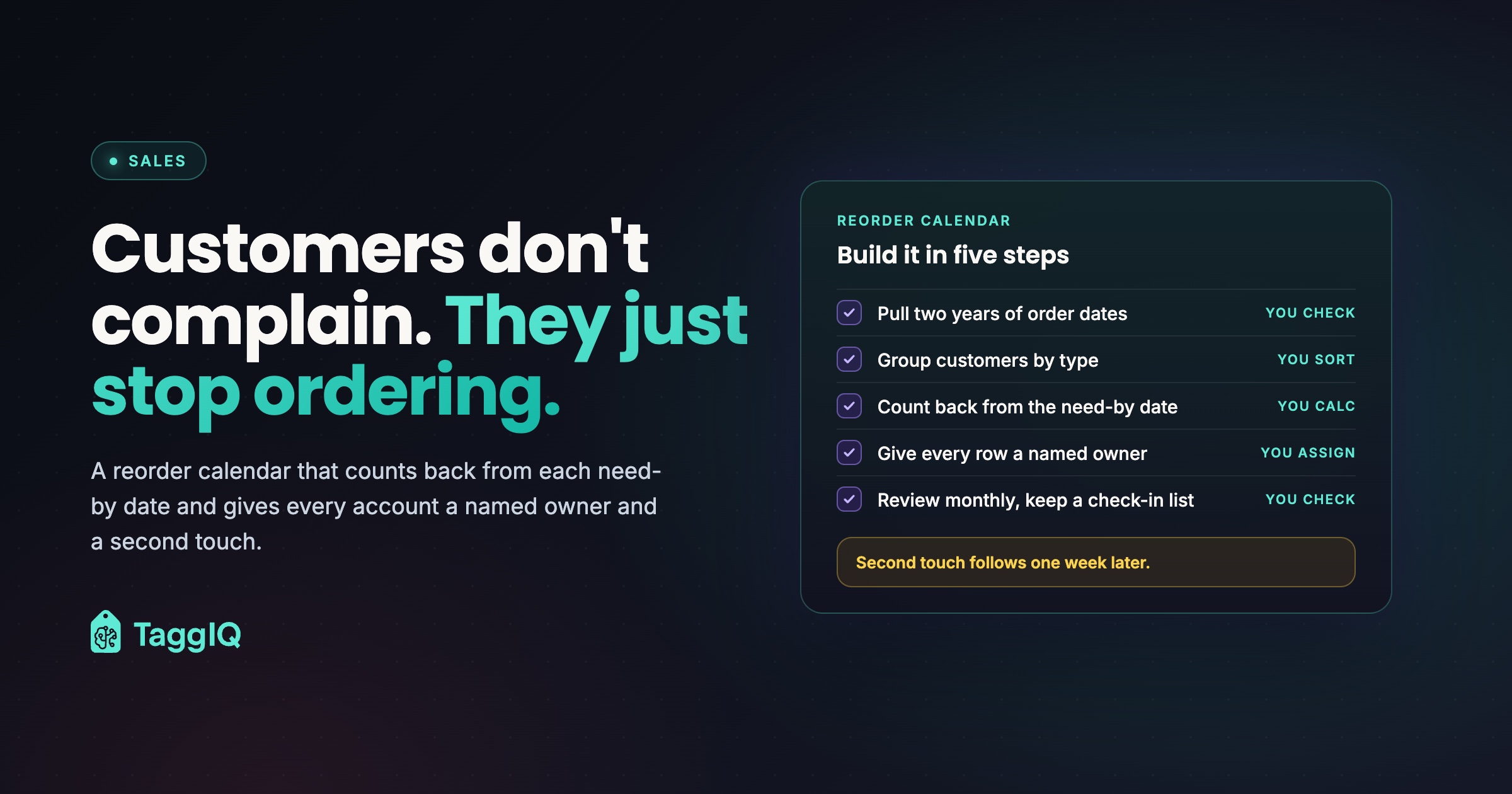
Here is the short answer. Repeat business slips away when the reorder date lives in the customer’s head and not in your diary. By the time they remember, a competitor’s email has arrived or the production window has closed. The fix is a reorder calendar built by customer type. It counts back from the date each customer needs the goods, and a named person is responsible for every account.
Six quiet reasons good customers drift
None of these causes leads to a complaint, which is why they are easy to miss. Check each one against your own accounts.
| Cause | What it looks like | Check this week |
|---|---|---|
| Nobody owns the date | The reorder timing lives in one person’s inbox or memory | Could anyone else say when your top 20 customers last ordered? |
| Contact comes too late | You get in touch on or after the date, once they have re-quoted or missed the production window | Compare your last contact with the date the goods were needed |
| Reordering feels like a new purchase | They have to re-send logos, re-explain sizes and wait for a fresh quote | Could you send last order’s details in one message? |
| One message for everyone | A school, a builder and an event organiser all get the same promotional email | Does your follow-up name their products and their date? |
| The last job went slightly wrong | A late delivery, a sizing issue or a colour mismatch that nobody followed up | Check quiet accounts for remakes or late jobs |
| Something changed on their side | A new buyer, a rebrand, a tender cycle or a budget year end | When did you last confirm who places the order? |
The first cause sits under all the others. If only the person who handled the job knows the reorder rhythm, the rhythm disappears when they go on holiday or leave. Customer context in a print shop explains why that knowledge needs to sit in one shared record, not in one inbox.
A missed reorder costs you more than its invoice value. A repeat order from a known customer should need less quoting, no new artwork setup and fewer proofs than a fresh enquiry, so losing it means losing some of your easiest work. Reorders you can see coming also make the next quarter easier to plan, because you can move school kit or event orders out of a peak. That fits straight into a weekly production schedule.

Build a reorder calendar by customer type
A single follow-up timeline can’t serve every customer, because a school, a construction firm and an event organiser buy on completely different triggers. Group your customers first, then set the dates.
Step 1: Pull two years of order dates
Go through your invoices, accounts software or order system. For each active business customer, list the order dates, the date the goods were needed (use the delivery date if you didn’t record it), the products and the quantities. Two years of history shows whether a pattern repeats or was a one-off. Flag any account that ordered in the earlier year but not the most recent one, and put it straight on the check-in list for a phone call this month.
Step 2: Group customers by type and name the trigger
Each type has a trigger: the event that sets the date the goods are needed.
| Customer type | Trigger that sets the date | Ask when you get in touch |
|---|---|---|
| Workwear and uniform accounts | The anniversary of the last refresh, plus new starters | Headcount changes, new starters, any logo change |
| Schools and clubs | The academic year and new intakes | Changes to the uniform list or supplier arrangements |
| Event organisers | The event date | The confirmed date, numbers, any new items |
| Seasonal retail and hospitality | Festive or summer menus and promotions | Same formats, new sites, price changes |
| Signage and consumables | Wear, a refresh or stock running out | Stock left, damaged or outdated signs |
If an account also has a budget year end, add it as a second need-by date on that customer’s row.
For workwear, since 6 April 2022 employers’ PPE duties in Great Britain have covered limb (b) workers (a wider legal category of worker) as well as employees. Employers must provide that PPE free of charge. That makes new starters who need protective kit a good reason to get in touch between annual refreshes. This is general information, so check your own obligations before relying on it.
Step 3: Count back from the need-by date
Work out three dates for each customer:
- Latest order date: the need-by date minus your production and supply lead time.
- First contact: two weeks before the latest order date. That leaves time for artwork checks, size confirmation and samples.
- Second touch: one week after first contact, which is still a week before the latest order date.
For accounts where several people approve the order, or that run a tender, move first contact earlier, for example four to six weeks before the latest order date (see the schools section below). Use your own lead times. The example lead times below include the production queue, blank supply and a buffer for peak periods.
Illustrative rows from a reorder calendar:
| Customer | Need-by | Lead time | Latest order | First contact | Second touch |
|---|---|---|---|---|---|
| Construction firm, embroidered polos and hi-vis | 15 March | 7 weeks | 25 January | 11 January | 18 January |
| Secondary school, PE kit for the September intake | 5 July | 8 weeks | 10 May | 12 April | 19 April |
| Fun run on 12 June, printed T-shirts | 29 May | 6 weeks | 17 April | 3 April | 10 April |
| Restaurant group, festive menus | 2 November | 3 weeks | 12 October | 28 September | 5 October |
| Budget holder with a 31 March year end, signage refresh | 19 March | 4 weeks | 19 February | 5 February | 12 February |
Worked example
All figures are illustrative, including the rows above, from a shop with 120 active business customers. At the January review, 14 of the 120 customers have first-contact dates in the next six weeks. With an average repeat order of £850, that is £11,900 of work the shop can see coming. Not all of it will convert. What matters is that the work is visible and someone is assigned to it.
Step 4: Give every row an owner
Add an owner column and put a person’s name in it, not “sales” or “the office”. That person makes the first contact and the second touch. They record the outcome in the shared customer record so anyone can pick up the conversation.
Step 5: Review monthly and keep a check-in list
On the first working day of each month, sort the calendar by first-contact date and look at the next six weeks. If the latest order date passes with no reply after the second touch, move the customer to a check-in list for a personal phone call, not another email. For accounts with no need-by date on record, use 30 days past their usual order date as a backstop.
Make the reorder easy to say yes to
A reorder should be a quick “same again, or any changes?” conversation, not a new buying decision. If the customer has to re-send logos, re-explain sizes and wait for a fresh quote, you have given them every reason to compare prices.
Keep the last order ready: the products, the logo or artwork version, the size breakdown, the quantities and the delivery address. For team and staff orders, a proper size collection process saves you chasing the same information twice.
A reorder note you can adapt
Hi [name], last [season] we supplied [products and quantities] with your logo, in sizes [size range]. If you’d like the same again this year, we need sizes and quantities confirmed by [latest order date] to deliver by [need-by date]. Do you have any new starters, a logo change or different items in mind? Reply “same again” or send your changes, and we’ll send a quote for you to approve. If you’d rather not get reorder reminders, just reply “no thanks”.
Two rules keep this safe. First, stop chasing as soon as the customer replies or says no. Second, hand any change to a person: a new logo, new products, a different headcount or a new price. Never reissue last year’s order without checking that the products are still available, the price is current and the numbers still match the customer’s team.
For your largest recurring accounts, consider moving them from one-off jobs to a programme: an agreed annual schedule, a standing size run or an online reorder page.
UK points to check before you send
Schools in England. Since September 2026, under statutory guidance, schools in England must cap compulsory branded uniform and PE kit items at three. Secondary and middle schools can have four if one of the items is a tie. The same guidance says schools should:
- avoid single-supplier contracts unless they run regular tendering competitions
- re-tender at least every five years
- have a written contract with suppliers of branded items
- avoid cashback arrangements
For school suppliers, this may change what schools order and how much, and renewal can’t be taken for granted. Ask each school early about its uniform list and its contract timetable. This summary is not legal advice, so read the guidance in full and check your own contracts.
Email to sole traders and individuals. If some of your customers are sole traders or private individuals, check whether your reorder emails count as direct marketing under the Privacy and Electronic Communications Regulations (PECR) before you send them. Whatever the answer, deal with permission when you collect their details and offer a simple opt-out in every reorder email.
This is general information, not legal advice. Check your own obligations, and take professional advice if you are unsure.
Where TaggIQ fits
You can run everything above in a spreadsheet. The weak point is that the spreadsheet only works if someone updates it after every order.
TaggIQ’s Repeat Order Agent is a proposed custom build for this job. It is not a packaged feature you can switch on today. As proposed, it would:
- learn each customer’s ordering rhythm from past orders
- flag customers due to reorder in the next few weeks
- draft a reorder note using last time’s products, logo and sizes
Your team would decide whom to contact and approve each note. The agent would never place or confirm an order, and it would stop when the customer replies or says no. It is scoped after a platform demo and has no published launch date. It is priced as a one-time setup fee plus a monthly fee, quoted in writing before you commit.
See the proposed agent Read how the proposed Repeat Order Agent would work and what scoping involves.
Your next step this week
Take your top 20 customers by last year’s revenue and fill in seven columns for each: last order date, need-by date, lead time, latest order date, first contact, second touch and owner. Put every first-contact date that falls in the next three months into someone’s diary today. At next month’s review, extend the list to the rest of your accounts.
Frequently asked questions
What if a customer has only ordered once?
Treat the first need-by date as provisional. When you hand the order over, ask whether it is likely to repeat, for example "Is this an annual event?" Put a first-contact date in the calendar anyway. Hearing from you at the right moment is the simplest way to find out whether there is a rhythm.
Is it pushy to contact customers before they ask?
Not if the message saves them work. A note that lists what they had last time, gives a cut-off date and asks about changes is a service. A general promotional email to everyone is the kind of contact that feels pushy.
What should I do when a customer says they have moved to another supplier?
Thank them and ask one question about why: price, timing or a problem with the last job. Record the answer against the account and mark the row closed instead of chasing.

Dave
Dave writes for TaggIQ about running a profitable print, promo, sign and embroidery business: costing and estimating, margins, production flow, order workflows, pricing decisions and keeping customers coming back.