In this article 12 sections
- Count handoffs, not subscriptions
- Follow one order through your shop
- The tool map template
- Then assign one owner per type of data
- Five questions that decide what to consolidate
- 1. Which handoff costs the most minutes or causes the most errors?
- 2. Does the integration run both ways, and for which records?
- 3. Will this add a handoff or remove one?
- 4. Where do artwork approvals live?
- 5. Can you report margin without joining spreadsheets?
- Move in stages, not all at once
- Where TaggIQ fits
You quote in a spreadsheet, chase proofs by email, track jobs on a whiteboard and do the books in QuickBooks or Xero. Each tool works fine by itself. The trouble starts in between, where someone types the same customer, quantity and price into a second, third and fourth system.
The short answer: a modern stack has as few handoffs as possible, not as few apps as possible. Each piece of data gets typed in once, has one system that owns it, and moves forward on its own from quote to invoice. The fastest way to see where you stand is to follow one real order through your shop and count the re-keys.
Count handoffs, not subscriptions
Most stack reviews start with the software bill. That is the wrong number. Five subscriptions that pass data cleanly between them can cost you less than three that need a person copying details between screens.
A re-key is any point where a person types customer, item, quantity, decoration or price details into a second system. Each one takes time on every order, and each one is a chance to drop a setup fee or swap a size. So the cost grows with your volume. Win more work and you also add more admin.

Follow one order through your shop
Order data passes through the same basic stages in any decorated apparel, promo or print business: inquiry, quote, approval, order, supplier purchase order, artwork proof, production, invoice, payment and accounting entry. Here is what that looks like in a typical mixed setup.
Worked example: one 50-piece embroidered polo order
An inquiry arrives by email for 50 embroidered polos, left chest logo, mixed sizes. The figures here are illustrative.
- The quote is built in a spreadsheet, retyped from the email (customer, style, quantity, decoration).
- After approval, the style, color and size breakdown are retyped into the supplier’s ordering website as a purchase order.
- The logo placement and thread colors are retyped into the proof in design software, then emailed out.
- A job card is written up on the production board (customer, quantity, due date, decoration).
- The customer is set up again in QuickBooks.
- The invoice lines, including the digitizing and setup fee, are retyped into QuickBooks.
- The payment is matched by hand from the remittance email.
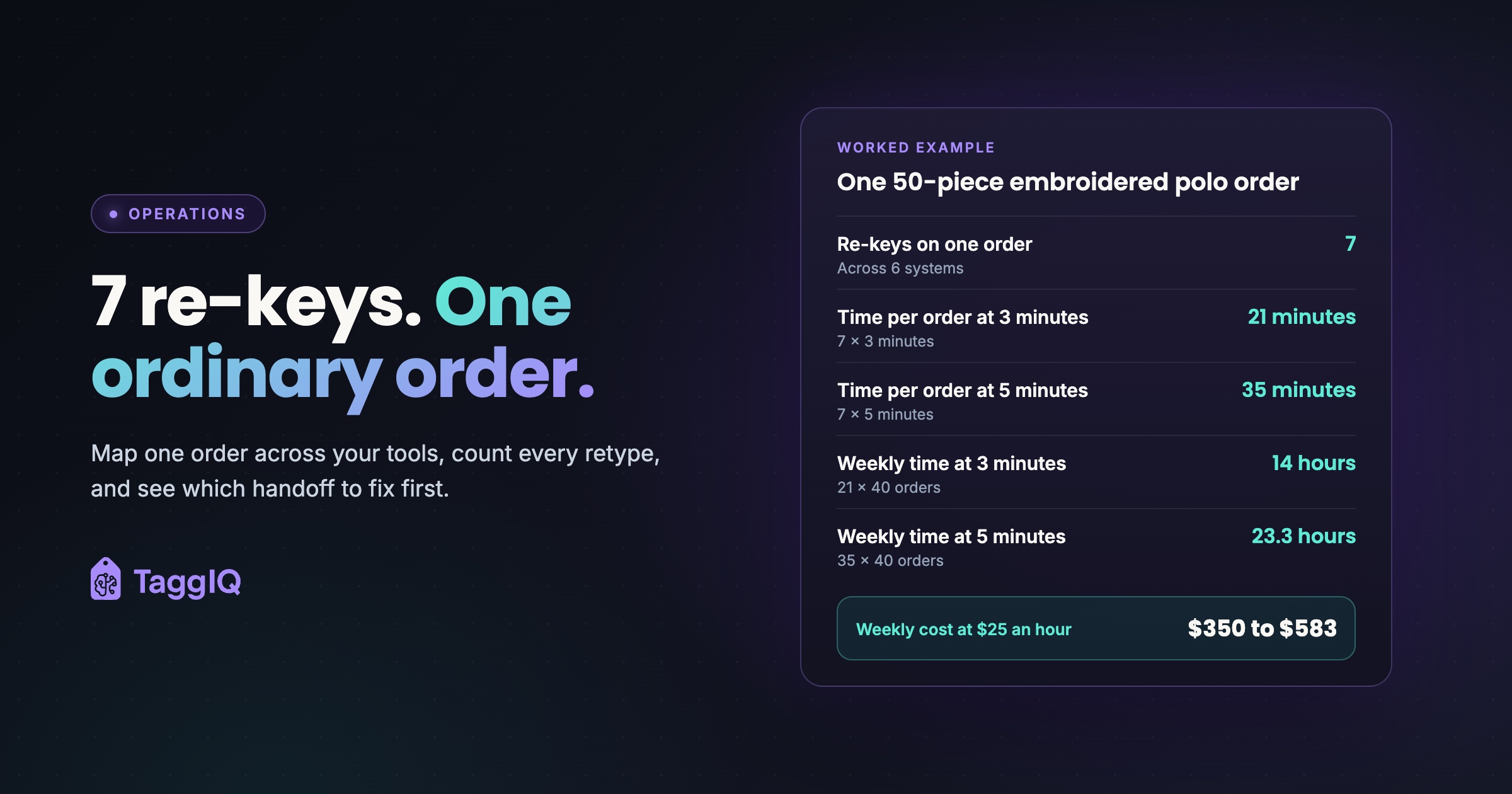
That is 6 systems (email, spreadsheet, supplier website, design software, job board, QuickBooks) and 7 re-keys for one ordinary order.
Now put a time cost on it.
Worked example: what the re-keys cost each week
Assume each re-key takes 3 to 5 minutes and the shop handles 40 orders a week. All figures are illustrative.
- At 3 minutes: 7 × 3 = 21 minutes per order. 21 × 40 = 840 minutes, or 14 hours a week.
- At 5 minutes: 7 × 5 = 35 minutes per order. 35 × 40 = 1,400 minutes, or about 23.3 hours a week.
At an admin cost of $25 an hour (swap in your own), that is $350 to $583 a week spent copying data the shop already had. For your own figure, use the real minutes for each step from your map, and count repeat-customer orders separately because they skip the customer setup step. This is labor time on jobs. Your software bill and rent are overhead and do not belong in this figure.
The time is only half of it. A copying mistake, such as the wrong size breakdown on the purchase order or a missed setup fee on the invoice, turns into a reprint, a discount or under-billing. To price that in, pull last month’s reprints, credit memos and corrected invoices and mark which ones started as a re-keying error. Add their total to your re-key labor cost for that same month, so both numbers cover the same period. For more on where those costs hide, see the hidden costs that quietly destroy print shop margins.
The tool map template
Fill this in for one recent order, ideally one with a few complications.
| Stage | System used | Data entered | Typed from where | Re-key? (Y/N) | Minutes | Errors last month |
|---|---|---|---|---|---|---|
| Inquiry | ||||||
| Quote | ||||||
| Approval | ||||||
| Order | ||||||
| Supplier PO | ||||||
| Artwork proof | ||||||
| Production | ||||||
| Shipping | ||||||
| Invoice | ||||||
| Payment | ||||||
| Accounting entry |
“Typed from where” shows you the handoffs. “Minutes” times your weekly order count gives your re-key hours, like the example above. “Errors last month” is where the reprints and corrected invoices you pulled go.
Then assign one owner per type of data
Write down which system should be the single source of truth for each kind of data. If two systems both claim to own something, your team will find the copies disagree.
| Data | Question to ask | A sensible owner |
|---|---|---|
| Customer details | Where is a new customer first created? | Operations system, synced to accounting |
| Prices and setup fees | Where does the quote get built? | Quoting and order system |
| Approved artwork | Is the approved version attached to the job? | The job record, not an email thread |
| Job status | Where does the team look to see what is next? | Production tracking in the same system as orders |
| Invoices and payments | Where does your bookkeeper close the month? | Accounting software, fed by the order system |
Keep your accounting software as the system of record for the books and connect your operations software to it.
Five questions that decide what to consolidate
Use these on your filled-in map. They work whichever vendor you end up choosing.
1. Which handoff costs the most minutes or causes the most errors?
Start there, not with the tool you like least. Removing one heavy handoff beats replacing a tool that was barely costing you anything.
2. Does the integration run both ways, and for which records?
An “integration” that only pushes invoices one way still leaves someone entering payments, credit memos or customer changes by hand. Ask the vendor exactly which records sync and in which direction, then test it with a real order that has a deposit and a credit memo.
3. Will this add a handoff or remove one?
Bolting a new point tool onto one step can add a handoff on each side of it. If a tool needs its data typed in from somewhere else, it has not fixed anything. It has just moved the re-key. A retail checkout system is one example, as covered in why generic POS systems don’t work for print shops.
4. Where do artwork approvals live?
If the approved proof sits in an email thread, production is working from memory or a forwarded attachment. The approval, comments and revision history belong on the job. This is covered in more depth in why artwork approvals over email go wrong.
5. Can you report margin without joining spreadsheets?
If you need to stitch quote data, supplier costs and invoices together by hand to see job margin, you are pricing blind. A connected stack should answer “what did we make on embroidery last quarter” from the same records that produced the invoices.
Move in stages, not all at once
Switching everything in one weekend, with no owner chosen for each kind of data, swaps one mess for another. A safer order:
- Choose the owner for each data type using the table above.
- Connect quoting to orders and purchase orders first, because errors there reach production.
- Bring artwork proofs onto the job.
- Connect invoices and payments to your accounting software, and check the sync with your bookkeeper.
- Re-run the tool map on a new order and compare the re-key count.
If you want to see how one shop thought through dropping several tools, read five tools replaced with one.
Where TaggIQ fits
TaggIQ is built around that single line from quote to books. Multi-line quotes carry tier pricing, decoration and setup fees and are approved online. Approved quotes convert to orders in one click, with supplier purchase orders and production job tracking from the same record. Artwork proof links keep approvals, comments and revision history on the job. Invoices are generated from orders, with deposits, part payments and online payment links. A two-way sync with Xero and QuickBooks covers invoices, payments, credit notes (credit memos), customers and suppliers, so your accounting software stays the system of record.
See TaggIQ features Compare your filled-in tool map against how TaggIQ connects quotes, orders, proofs, invoices and accounting.
Your next step this week: pick one order from last week, fill in the tool map with the person who processed it, and multiply the re-key minutes by your weekly order count. That number tells you whether consolidation is worth your time, and which handoff to fix first.
Frequently asked questions
We only do 10 orders a week. Is this worth mapping?
Yes, because the error column still counts when the time column is small. One missed setup fee or wrong size run can wipe out the margin on a small week. Do the map once, then repeat it whenever you add a tool.
Should I replace QuickBooks or Xero when I consolidate?
Keeping your accounting software and connecting your operations system to it is the lower-risk route. Your bookkeeper's month-end stays the same, and you remove the re-keying that happens before data reaches the books.
How do I test whether a sync really removes re-keying?
Run one live order through it with a deposit, a part payment and a credit memo. Then check in your accounting software whether each record arrived without anyone typing it, and whether a change made on one side shows up on the other.

Dave
Dave writes for TaggIQ about running a profitable print, promo, sign and embroidery business: costing and estimating, margins, production flow, order workflows, pricing decisions and keeping customers coming back.