In this article 12 sections
- AI agents vs automation: the definitions that matter
- One quote request, handled three ways
- The rules-based path
- The workflow path: one model step
- The agent path
- Who decides each step
- Is drafting actually faster?
- The decision table: when rules are enough and when an agent helps
- Where people stay in the loop
- Questions to ask before you pay agent prices
- How TaggIQ approaches it
- A next step for this week
One vendor demo shows an “AI agent” that follows up on quotes. Another vendor’s “agent” turns out to be a reminder that fires three days after you send a quote. Both carry the same label, so it is hard to tell what you are paying for and what could go wrong.
The short answer: traditional automation follows rules you wrote, the same way every time. An AI agent uses a language model to decide what to do next, which copes with messy inputs but is less predictable. Between them sits a fixed workflow that hands one step to a model, and for many shops that middle option does the job. At any step, ask who decides: a fixed rule, a model’s judgment or a person? After one quote request worked through all three ways, a decision table sorts common shop jobs into the right option.
AI agents vs automation: the definitions that matter
OpenAI’s practical guide to building agents describes agents as “systems that independently accomplish tasks on your behalf.” An agent uses a language model to run a workflow. It picks tools to gather context and take actions, and it can stop and hand control back to a person when something fails, “always operating within clearly defined guardrails.” The same guide says simple chatbots and single-turn tools are not agents. They use a language model, but the model does not control the workflow.
Anthropic’s guidance on building effective agents draws the line in a similar place, separating workflows, where language models and tools follow “predefined code paths,” from agents, where the model directs “its own processes and tool usage.” It advises finding “the simplest solution possible” and adding complexity only when needed. It also notes that agentic systems often trade speed and cost for better results on the task.
Traditional automation sits at the other end. Microsoft describes its desktop flows as robotic process automation (software that repeats clicks and keystrokes) built for “simple or complex rule-based tasks” such as pulling data from vendor invoices and automating data entry. In OpenAI’s contrast, a rules engine “works like a checklist, flagging transactions based on preset criteria,” while an agent weighs context and handles unclear cases.
You already run plenty of rules: quantity price breaks, setup fees by decoration method and color or stitch count, quote reminders on fixed days, status notifications and invoice reminders. They work because the inputs are structured and the logic rarely changes.
That gives you three options, not two. Rules follow fixed logic. A workflow with a model step keeps a fixed order of steps but hands one of them, such as reading an email or drafting a reply, to a language model. An agent lets the model choose which steps and tools to use for each request. Whatever a product is called, ask which of the three it is: cost and unpredictability usually rise as you move down that list. If you want a plain-language look at the assistant end of that range first, see what an AI assistant can actually do for a small print business.
One quote request, handled three ways
Worked example
A returning customer emails: “Can we get around 60 polos with our logo on the chest, some in navy some in white, needed before our event on the 14th.” A low-resolution logo is attached. There is no size split, no exact garment and no decoration method, and “the 14th” has no month.
The rules-based path
A rules-based setup needs structured inputs. Your web form makes the customer choose garment, quantity per size, color, decoration method and location. The price table applies the quantity break and setup fee, and a reminder fires if the customer has not replied after a set number of days.
This customer sent an email, so the rules have nothing to read until an estimator retypes it. The cheapest rules-based fix is a templated reply pointing the requester to your quote form or a size collection form; for repeat corporate buyers, that is often enough. Adding rules to read the email itself (if it says “polo,” set the garment to polo) creates a tangle that grows every week and breaks the first time a customer writes “golf shirts” or “on the front.”
The workflow path: one model step
Here every email goes through the same steps, fixed in code. The model extracts garment, quantity, colors, location and date into your quote form. A fixed lookup pulls the customer’s last order, your price table prices the job and the draft waits in a review queue. For the polo email, the model fills in garment, rough quantity, both colors and chest location, and leaves the size split and month blank, so a person sees exactly what is missing.
The agent path
An agent reads the same email and decides what to do next. Because the email says “our logo” and comes from a returning customer, it chooses to search past orders, sees that they usually order embroidered polos and proposes the same garment and method. Another email might lead it to search a supplier catalog instead. A guess from history can be confidently wrong, so proposed defaults should appear in the draft as stated assumptions for the customer to confirm. It flags the low-res logo, missing size split and unclear date, drafts a quote at the customer’s pricing tier with clarifying questions, and waits for a person to approve it.
Neither model option made up prices: the quantity break and setup fee still came from your rules. In good setups, the model interprets the request, the rules price it and a person approves it.
For a request like this one, Anthropic’s advice to start with the simplest solution usually points to the workflow: most quote emails need the same steps of read, look up, price and check. An agent’s freedom to choose its own steps pays off when requests vary widely.
Who decides each step
| Step | Rules-based path | Workflow with a model step | Agent path |
|---|---|---|---|
| Reading the request | Form fields; a free-text email stalls | The model extracts fields from the email | The model interprets the email |
| Choosing garment and method | The customer picks on the form | The model fills it from the email; a fixed lookup adds the last order | The model decides what to check, then proposes |
| Spotting missing details | Required fields block submission | Blank fields show what is missing | The model flags sizes, date and artwork |
| Applying price breaks and setup fees | Fixed rule | Fixed rule (your price table) | Fixed rule (your price table) |
| Sending the quote | The estimator sends | A person approves the draft, then it sends | A person approves the draft, then it sends |
| Follow-up after silence | Fixed timer | Fixed timer | A fixed timer is still the simplest option |
The last row matters: paying agent prices for a fixed timer buys cost and unpredictability for nothing.
Is drafting actually faster?
Drafting only saves time if checking a draft is quicker than writing the quote yourself, so test it in your own shop.
Worked example
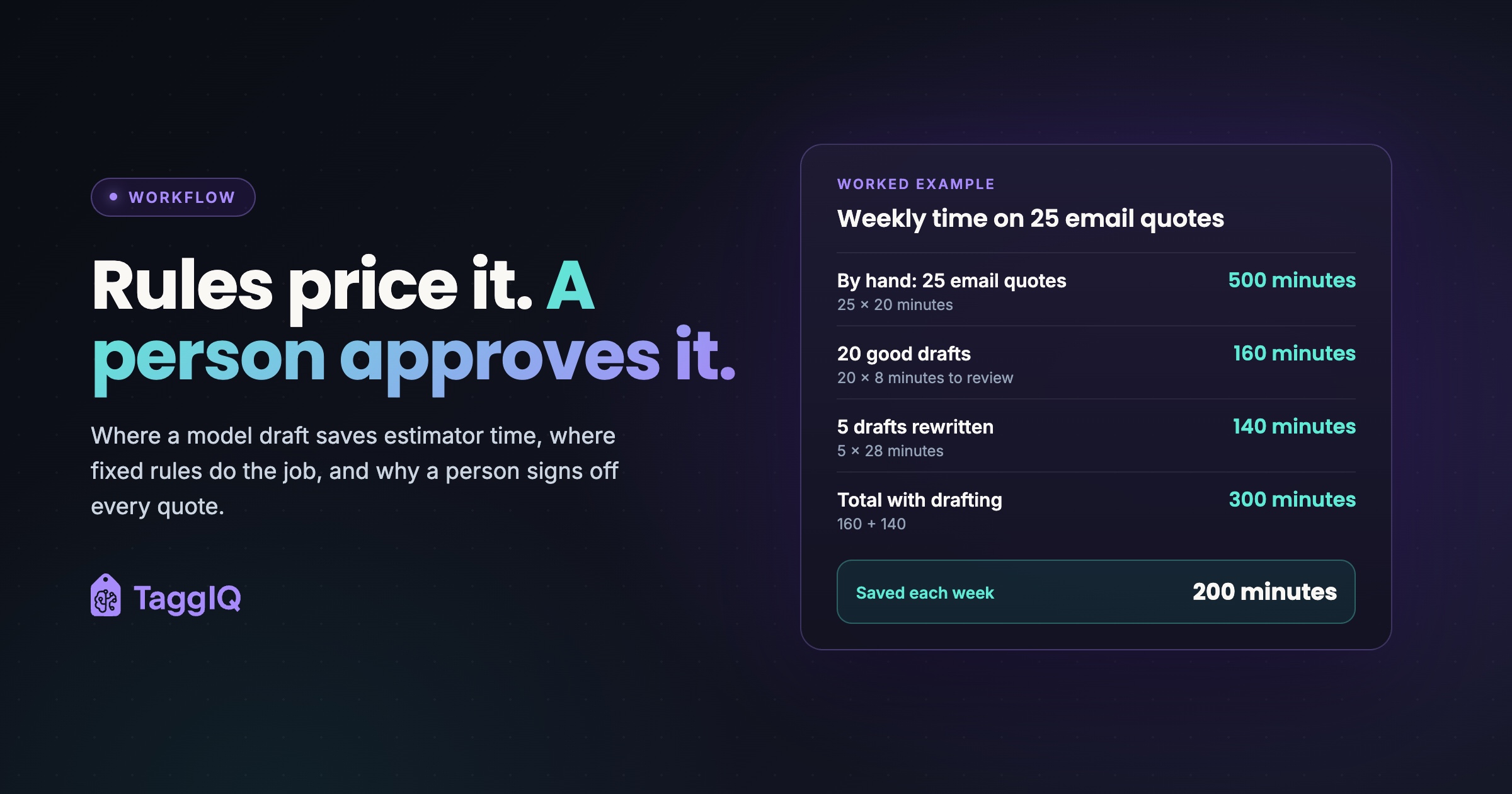
A hypothetical shop gets 40 quote requests a week. 25 of them arrive as free-text emails, and the other 15 come through the web form or as clear reorders, so drafting does not change those. Reading and keying each email quote by hand takes an estimator about 20 minutes: 25 × 20 = 500 minutes a week.
With drafting, a good draft takes about 8 minutes to review. Say 20 of the 25 drafts are good: 20 × 8 = 160 minutes. The other 5 are wrong enough to rewrite, so each one costs the 8 minutes of review plus the full 20 minutes: 5 × 28 = 140 minutes. That totals 300 minutes.
The saving is 500 minus 300 = 200 minutes, a little over three hours a week. Now suppose only 10 of the 25 drafts were usable. The total would be (10 × 8) + (15 × 28) = 80 + 420 = 500 minutes, and the saving would disappear. With these figures, break-even is 10 good drafts out of 25, a 40 percent acceptance rate.
The number to track is the share of drafts you accept with light edits. Below your own break-even, drafting just adds a review step; above it, value the hours saved at your estimator’s hourly cost and compare that with the tool’s fee.
The decision table: when rules are enough and when an agent helps
OpenAI’s guide lists three signs that an agent is worth building: decisions that need judgment and involve exceptions, rule sets so tangled that updating them is costly or error-prone, and heavy reliance on unstructured data such as plain-language messages and documents. Its guide adds: “Otherwise, a deterministic solution may suffice.”
| Situation | Shop example | Use | Final say |
|---|---|---|---|
| Structured inputs, stable logic | Web form orders, price breaks, setup fee by color count | Rules | The rule |
| Fixed timing | Quote reminder after three days, invoice reminder at 30 days | Rules | The rule |
| Free-text inputs, same steps each time | Email requests, phone notes, vague briefs | Workflow with a model step | A person reviews |
| Rule sets you keep patching | Email-reading rules that break every week | Model step first; agent only if the steps also vary | A person reviews |
| Frequent exceptions that change the steps | Mixed decoration methods, a request needing a new supplier search plus an artwork redraw, a garment you have never sourced | Agent drafts | A person reviews |
| Money moves or the action cannot be undone | Sending quotes, discounts, deposits, refunds | Any of the three can prepare it | A person approves, always |
| Inconsistent pricing data | Two price lists for the same method | None yet | Fix the data first |
The last row catches many shops. If your decoration rules and price tiers disagree, a rule and an agent will both produce wrong quotes, just at different speeds. For clean pricing logic, see this automated print quote example.

Where people stay in the loop
OpenAI’s guide recommends planning for people to step in in two cases. One is an agent exceeding its failure limits, such as a cap on retries or actions. The other is a high-risk action: something sensitive, irreversible or high-stakes, such as canceling orders, authorizing large refunds or making payments. It suggests keeping people overseeing these actions until you trust the agent more.
In a print shop, that matches the sign-offs most owners already keep: final quotes, discounts, proofs, deposits and refunds. A wrong quantity or decoration method sent without review costs goodwill, and a missing setup fee costs margin too, as our guide to decoration pricing and setup charges explains.
NIST’s voluntary AI Risk Management Framework is built around four functions: Govern, Map, Measure and Manage. NIST added a Generative AI Profile in July 2024. In shop terms they become four questions: who signs off AI drafts (Govern), which steps touch customers or money (Map), what share of drafts you accept (Measure) and what happens when a draft is wrong (Manage). This is general guidance only, so check your own obligations around customer data and contracts.
Questions to ask before you pay agent prices
The name on the box does not tell you which of the three you are buying. Before you pay agent prices, ask the vendor:
- Which steps does the tool decide on its own, and which follow fixed rules?
- Is the order of steps fixed in code, or does the model choose which steps and tools to use for each request?
- What does it only draft, and what can it send, commit or change without approval, including money and customer records?
- Is there a log of every action it took that you can read?
- Is this feature live today, or is it planned?
- Where do prices come from: your own price tables, or the model’s estimate?
If the answers describe a timer and a template, you are buying rules. If the steps are fixed and a model handles one, you are buying a workflow with a model step. Either may be exactly what you need, if it is priced for what it is.
How TaggIQ approaches it
TaggIQ’s live AI works on the supervised drafting model described above: “It proposes, you approve.” The AI Co-Worker “pulls customer history, applies their pricing tier, calculates decoration and builds the quote for your approval.” “Nothing sends to customers, suppliers or books without your explicit confirmation.” “AI cannot create payments, credit notes or change tax fields.” “Every action is logged in your audit trail.” Details are on the AI features page, with a broader overview of AI quoting software for print shops.
The agents on the TaggIQ agents page, such as a Quote Agent for follow-ups and a Margin Agent for thin margins, are marked as proposed builds. They are not available today.
A next step for this week
Sort last week’s quote requests into two piles: structured (form orders, reorders, clear purchase orders) and free text. Count each pile and note how long the free-text ones took. If the structured pile is bigger, tighten your rules and price tables first. If free text dominates, run the drafting test above.
See the proposed agents Look over the agent builds TaggIQ is proposing and see which match the jobs that slow your shop down.
Frequently asked questions
Is ChatGPT an AI agent?
Not by OpenAI's definition when you use it as a simple chat, because the language model does not control the workflow. Pasting a customer email into a chat window for a summary still leaves you running the workflow.
Should an agent ever send quotes without approval?
OpenAI's guidance keeps people overseeing high-risk actions until you trust the agent more, and a sent quote commits your price. Keep approval on new quotes. Loosen it only for narrow, low-value repeat actions with a measured track record, such as a reorder confirmation at unchanged prices.

Emma
Emma writes for TaggIQ about practical AI and automation for print, promo, sign and embroidery businesses: AI assistants and agents, quoting and follow-up workflows, customer experience and keeping people in charge of the decisions that matter.